9
Using the C pneumatic clamp
- Tighten the C-clamp using the locking lever and check that the screw between the arm and the clamp is correctly
tightened.
- The clamping force is calculated by the machine, considering the force setting or the thickness of the sheets selected.
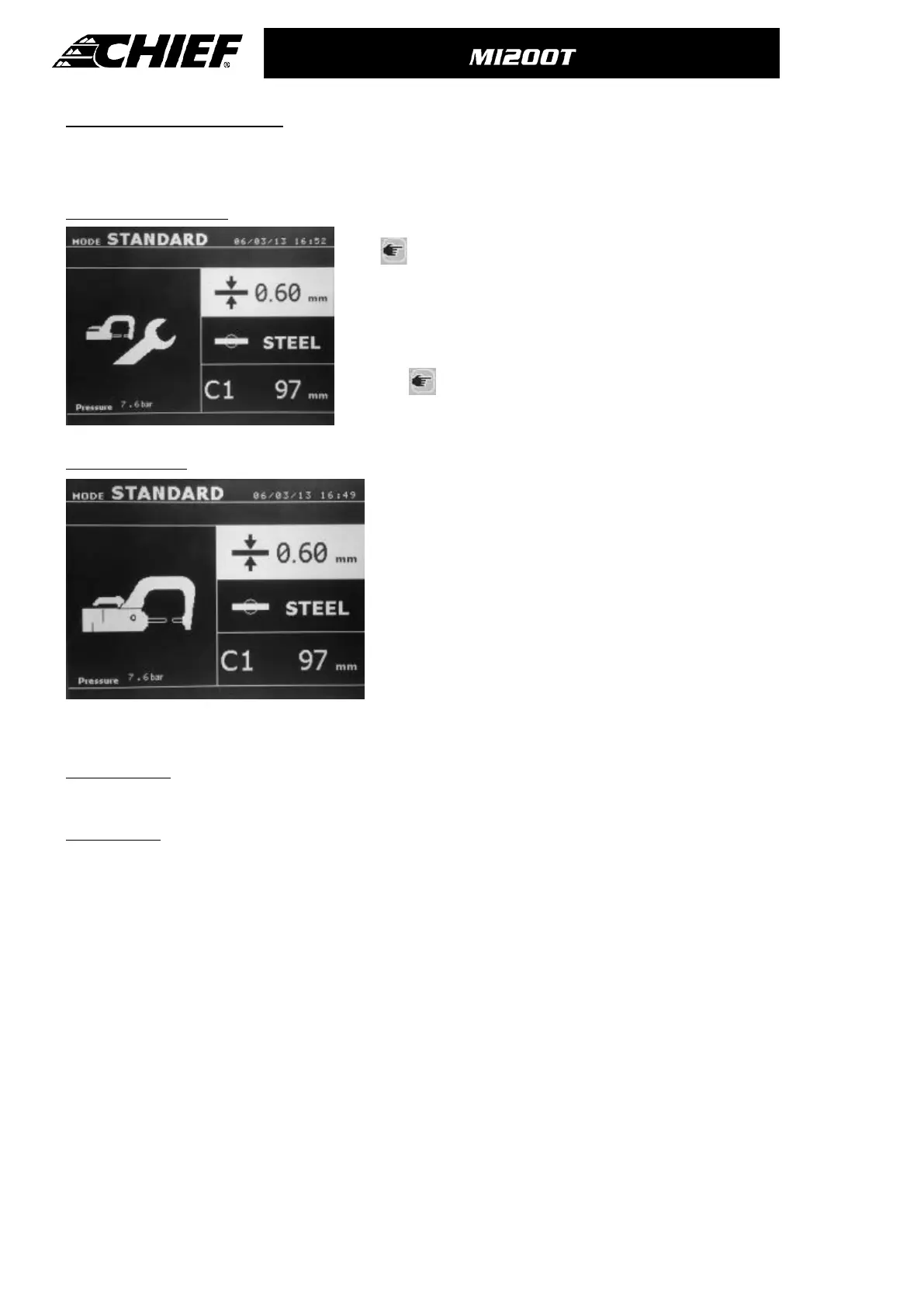
CLAMP SETTING MODE
The key is used to enter the clamp adjustment mode. The clamp
adjustment mode allows the user to close the clamp and apply the
programmed force on the electrodes without any current flowing. This mode is
used to adjust the arms. The clamp will remain closed as long as the button
remains pressed; this allows the user to check the alignment of the electrodes
and positioning of the caps.
Press the
key for more than 2 seconds allows returning to the
STANDARD mode.
STANDARD Mode
This is the default mode when the machine starts. Quick and easy spot
welding by selection of:
- The C-arm used
- The Sheet thickness : it can vary from 0.60mm up to 3.0mm in steps
of 0.05mm.
When welding 2 metal sheets, enter the thickness of thinnest one.
When welding 3 metal sheets, enter the total of the 3 divided by 2.
- The type of steel (standard steel, HSS steel, UHSS steel, BORON
steel).
- The up and down keys go through the parameters to modify sheet
thickness, type of steel, arm used. The + and – keys allow the
modification of each parameter.
Button (B) on the clamp allows the user change the thickness of the sheets to be welded remotely.
Button (A) on the clamp allows the user to spot weld with the selected parameters.
Before the weld: If the input air pressure is too low to reach the required electrode force, a warning will sound, and the
machine will display the error message “Pressure too low”. Pressing the button for a second time will force the execution of
the welding spot with the available air pressure.
After the weld: If the welding current measured during the spot is 6% less than the setting, the machine will display the
error message “Current too low” - the welding spot should be checked.
A message will be displayed at the end of every welding spot, showing the measured welding current and electrode force.
This message is displayed on the screen until a key on the control panel is pressed, or until a new welding spot is
performed, by pressing the button (A) on the clamp.



 To Next Page