33
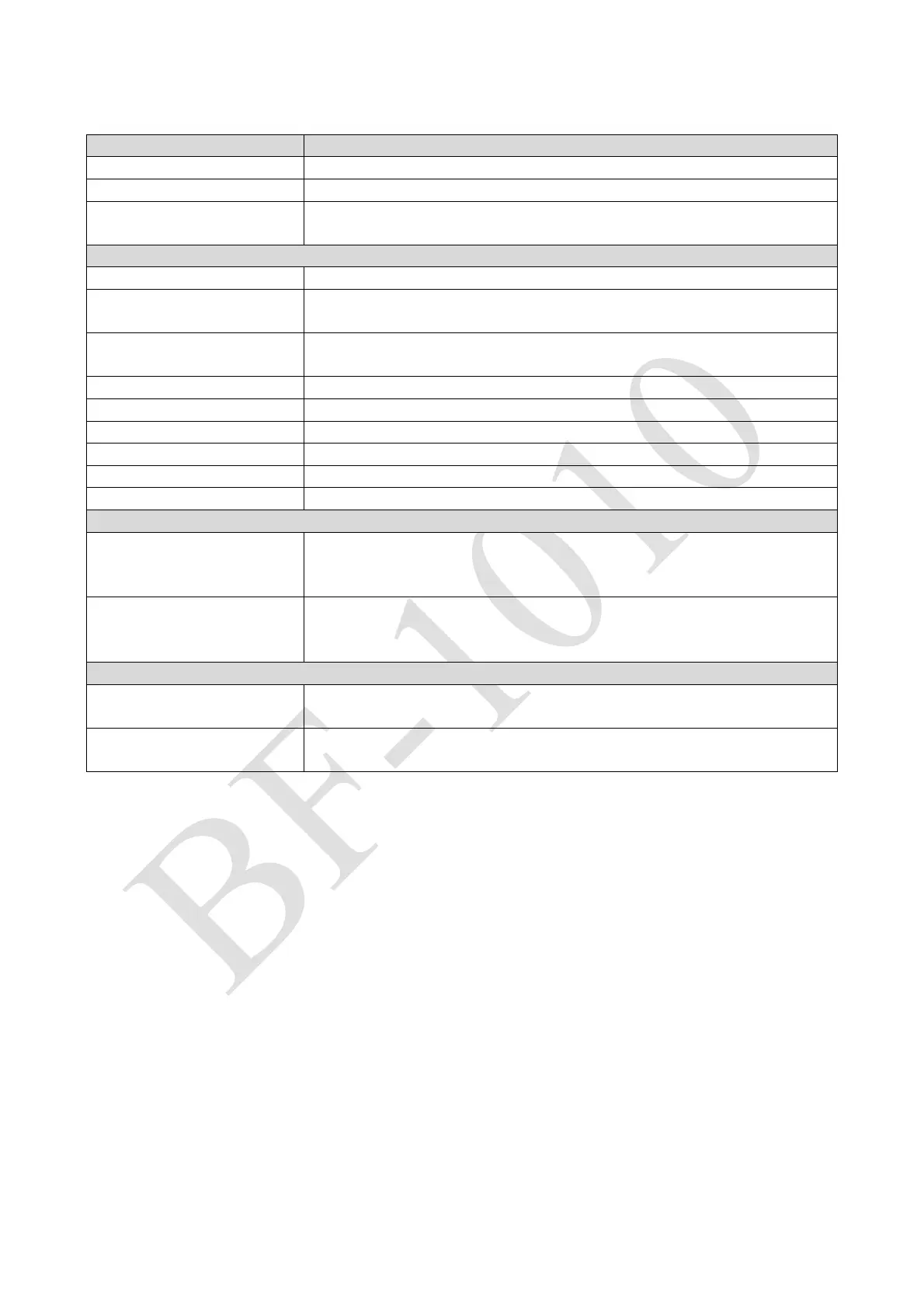
Function Description
Feature Description
Product Name
:
Display product name BF-1010 IO Controller
Firmware Version
:
Display the firmware version 1.11.03,Oct 3 2019
System Up Time Display the time elapsed since the system was started, the display
order is year / month / day / hour / minute / second
etwork Status
IP Configuration Mode Display IP mode, the default is STATIC IP
Operation Mode Display operation mode of Data Port 1 and Port 2, the default is TCP
SERVER/TCP
Connection Port Display the port number for Data Port 1 and Port 2 connection, the
default is 50000/50001
MAC Address Display MAC Address of BF-1010
IP Address Display IP address of BF-1010, the default is 192.168.0.125
Subnet mask Display Subnet mask of BF-1010, the default is 255.255.255.0
Default Gateway Display default gateway of BF-1010, the default is 0.0.0.0
Primary DNS Display Primary DNS of BF-
,
1010 the default is 168.95.1.1
STATUS Display BF-1010 current network status
Serial Status
Port 1 Display the baud rate, data bit, parity bit, stop bit, flow control of serial
serial port Port 1,
、、 、、
the default value is 9600 8 none 1 NO Flow
Control
Port 2 Display the baud rate, data bit, parity bit, stop bit, flow control of serial
serial port Port 2,
、、 、、
the default value is 9600 8 none 1 NO Flow
Control
Statistic
Ethernet Shows the total amount of data received and transmitted on the
network, with 4 columns of RX / TX Bytes and RX / TX Packets
Serial Shows the total amount of data received and transmitted by the serial
ort, with two fields of RX / TX Bytes


 To Next Page