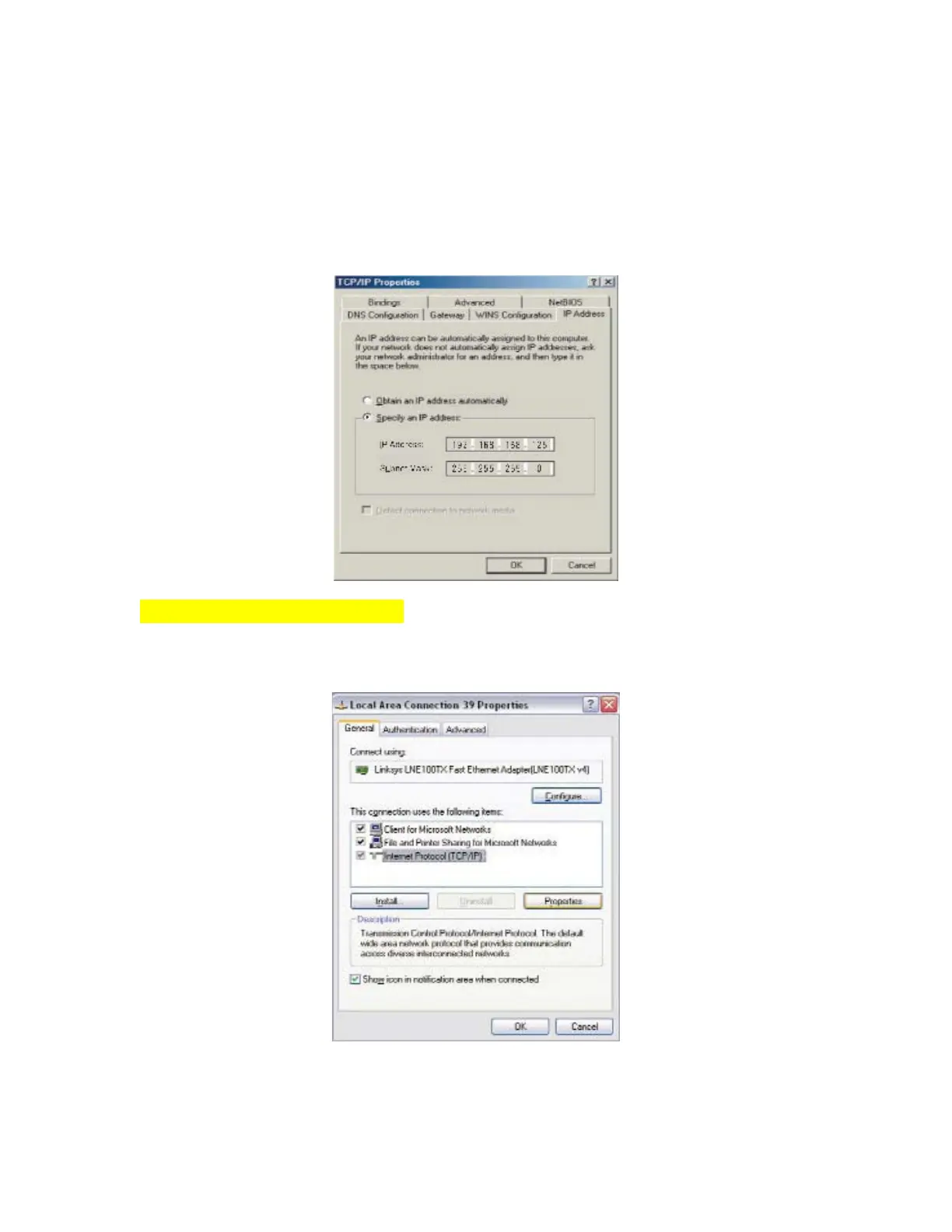
Step 2:Select “Specify an IP address” and enter “192.168.168.xxx” (the default value of 480 is
192.168.168.125) in the “IP Address” location (where xxx is a number between 1 and 254 used
by the High-Performance BF-480 to identify each computer), and the default “Subnet Mask”
“255.255.255.0”. Note that no two computers on the same LAN can have the same IP address.
For Windows XP and Windows 2000
Step 1:Make sure the box next to Internet Protocol (TCP/IP) is checked. Highlight
Internet Protocol (TCP/IP), and click the Properties button


 To Next Page