EasyManua.ls Logo

CHIYU BF-480 - User Manual

CHIYU BF-480
38 pages
Print Icon
To Next Page IconTo Next Page
Loading...
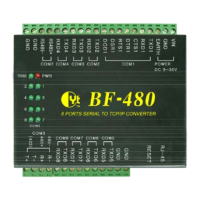
BF-480
8 ports serial To TCP/IP Gateway
User’s Guide
2005
CHIYU TECHNOLOGY CO., LTD
http://www.chiyu-t.com.tw
TAIPEI >> TEL:886-2-25491289 | CHIAYI >> TEL:886-5-2835460

Questions and Answers

  • A
    Anthony PowellAug 4, 2025
    What to do if I cannot access CHIYU Gateway BF-480 from Ethernet?
    • D
      Dawn EdwardsAug 4, 2025
      If you can't access the CHIYU Gateway BF-480 via Ethernet, first, check the cable connection between the BF-480 and your computer or hub. Next, try to ping the BF-480 from your computer. Finally, ensure that your computer's Ethernet card is properly installed and functioning.
  • R
    ramirezmelissaAug 11, 2025
    Why can't I ping any computer on the LAN using CHIYU BF-480 Gateway?
    • C
      Chad MedinaAug 11, 2025
      If you can't ping any computer on the LAN and the 10/100M LED is off, check the cable connection between the CHIYU Gateway BF-480 and your computer. Also, verify that the IP address and subnet mask of the BF-480 and your computer are in the same IP address range.
  • J
    James StevensAug 27, 2025
    How to troubleshoot CHIYU Gateway BF-480 when no LEDs turn on?
    • M
      Mr. Jon HuntAug 27, 2025
      If none of the LEDs turn on when you turn on the CHIYU Gateway BF-480, ensure that you have the correct power connected to the BF-480 and that it is plugged into an appropriate power source. Check all cable connections. If the LEDs still do not turn on, it may indicate a hardware problem.
  • E
    Elaine BrooksSep 10, 2025
    What to do if I cannot access CHIYU Gateway BF-480 from Serial?
    • K
      Karen FisherSep 12, 2025
      If you cannot access the CHIYU Gateway BF-480 from Serial, check the serial cable connection between the BF-480 and your device. Verify that the BF-480 setting of Serial type is the same as your device, and ensure the hardware jumper is in the correct position.

Summary

1. Getting to Know your BF-480

1.1 Introduction

Provides an overview of the BF-480 serial device servers and their purpose.

1.2 Main features

Lists the key features and benefits of the BF-480 device.

Product Specifications

Details the technical specifications of the BF-480 hardware and software.

1.3 Applications for BF-480

Illustrates various use cases and scenarios for the BF-480.

2. Hardware Installation & Initial Setup

2.1 Hardware Installation

Guides users through the physical installation process of the BF-480.

2.2 LED status

Explains the meaning of the different LED indicators on the device.

2.3 Initial Setup

Covers the initial configuration steps, including network setup.

3. BF-480 Configuration Setup

3.1 Network setting

Details how to configure the network settings like Static IP, DHCP, and PPPoE.

3.2 Operation mode

Explains the different operational modes such as TCP Server, TCP Client, and UDP.

3.3 Serial Type

Describes how to configure serial port settings like RS232, RS422, and RS485.

3.4 Dynamic DNS

Guides on setting up Dynamic DNS for remote access without a static IP.

4. BF-480 Management Setup

4.1 Device Admin

Covers administrative settings for device management and security.

4.2 System Status

Provides information on monitoring the current status of the BF-480.

4.4 Backup and Restore

Explains how to back up and restore the device configuration.

4.5 Upgrade Firmware

Details the process for updating the BF-480 firmware.

4.6 Ping

Describes how to use the Ping utility for network testing.

5. Troubleshooting

Troubleshooting Common Issues

Lists common problems and their corrective actions for the BF-480.

Appendix B: DDNS

How to register from Dyndns.org

Step-by-step guide for registering an account with Dyndns.org.

How to register from TZO.com

Step-by-step guide for registering an account with TZO.com.

Appendix C: Glossary

Glossary Terms

Definitions of technical terms used in the manual.

Appendix D: Finding the MAC Address and IP Address for Your Ethernet Adapter

Finding MAC and IP Address

Instructions on how to find MAC and IP addresses on a computer.

CHIYU BF-480 Specifications

General IconGeneral
BrandCHIYU
ModelBF-480
CategoryGateway
LanguageEnglish