Step 3:Check whether the TCP/IP Protocol has already been installed onto your computer’s
Ethernet card. Note that TCP/IP Protocol can be installed for a computer’s Dial-Up Adapter as
well as for the Ethernet card.
* If yes, go to section 2.3.2.
* If no, click the “Install” button.
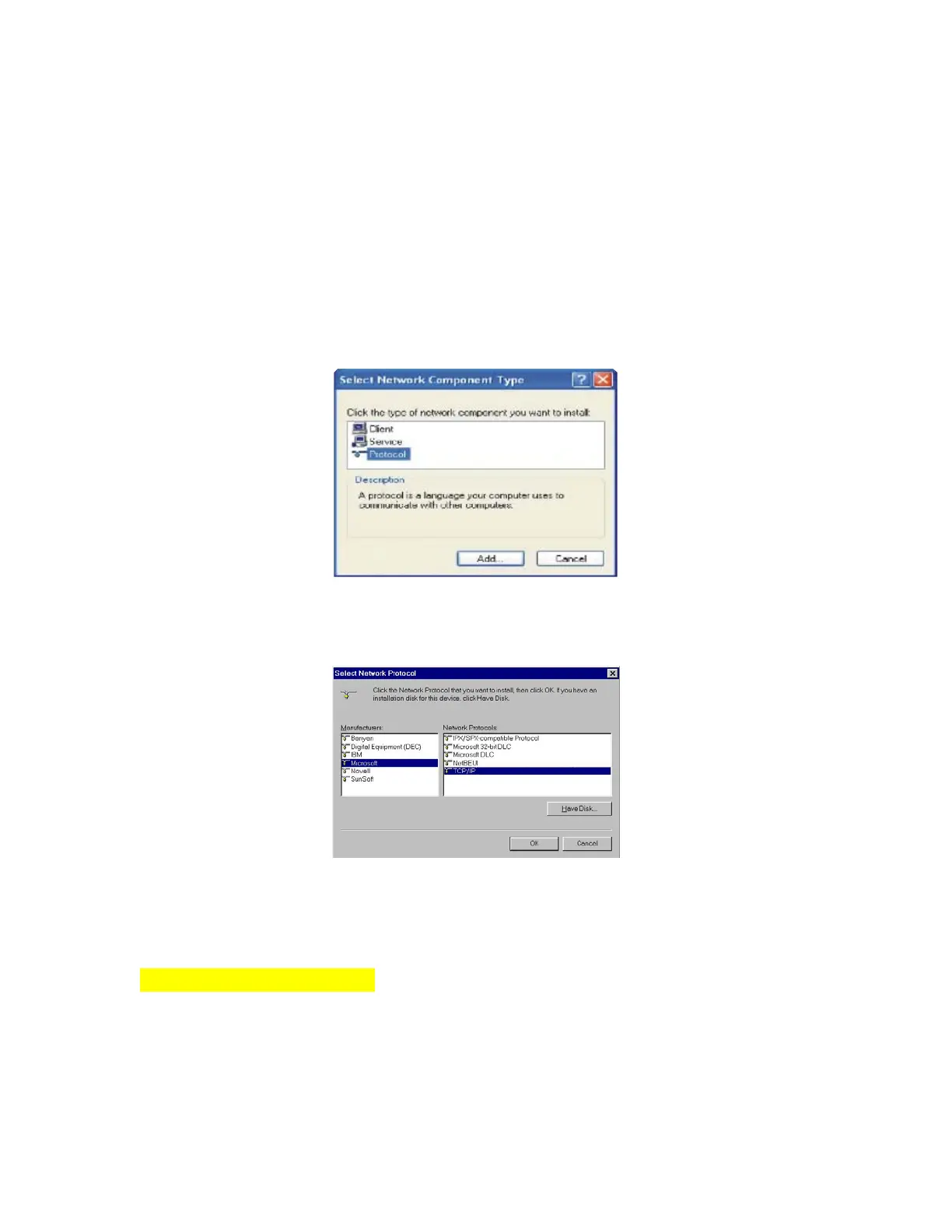
Step 4:Double-click “Protocol” in the Select Network Component Type or highlight “Protocol”
then click “Add”.
Step 5:Highlight “Microsoft” under the list of manufacturers. Double-click “TCP/IP” from the
list on the right or highlight “TCP/IP” then click “OK” to install TCP/IP.
Step 6: After a few seconds, you will be returned to the Network window. The TCP/IP Protocol
should now be on the list of installed network components (see 3 above).
2.3.2 Fixed IP Addresses Configuration
For Windows 98 and Millennium
Step 1:To set up computers with fixed IP Addresses, click the “Properties” button. The TCP/IP
Properties window consists of several tabs. Choose the “IP Address” tab as shown below.



 To Next Page