Email Address: no default, maximum length 47 characters
Password key: no default, maximum length 31 characters
Device DNS Name: no default, maximum 47 characters
z Enter the Email Address, Password Key, and Device DNS Name of the service you set
up with TZO.
z Registry IP Address. The BF-480’s current Internet IP Address is displayed here. Because it
is dynamic, this will change.
z Status. The status of the DDNS service connection is displayed here.
4. BF-480 Management Setup
This chapter will show you how to manage BF-480’s access setting as well as configure E-mail
alert and firmware upgrade.
4.1 Device Admin
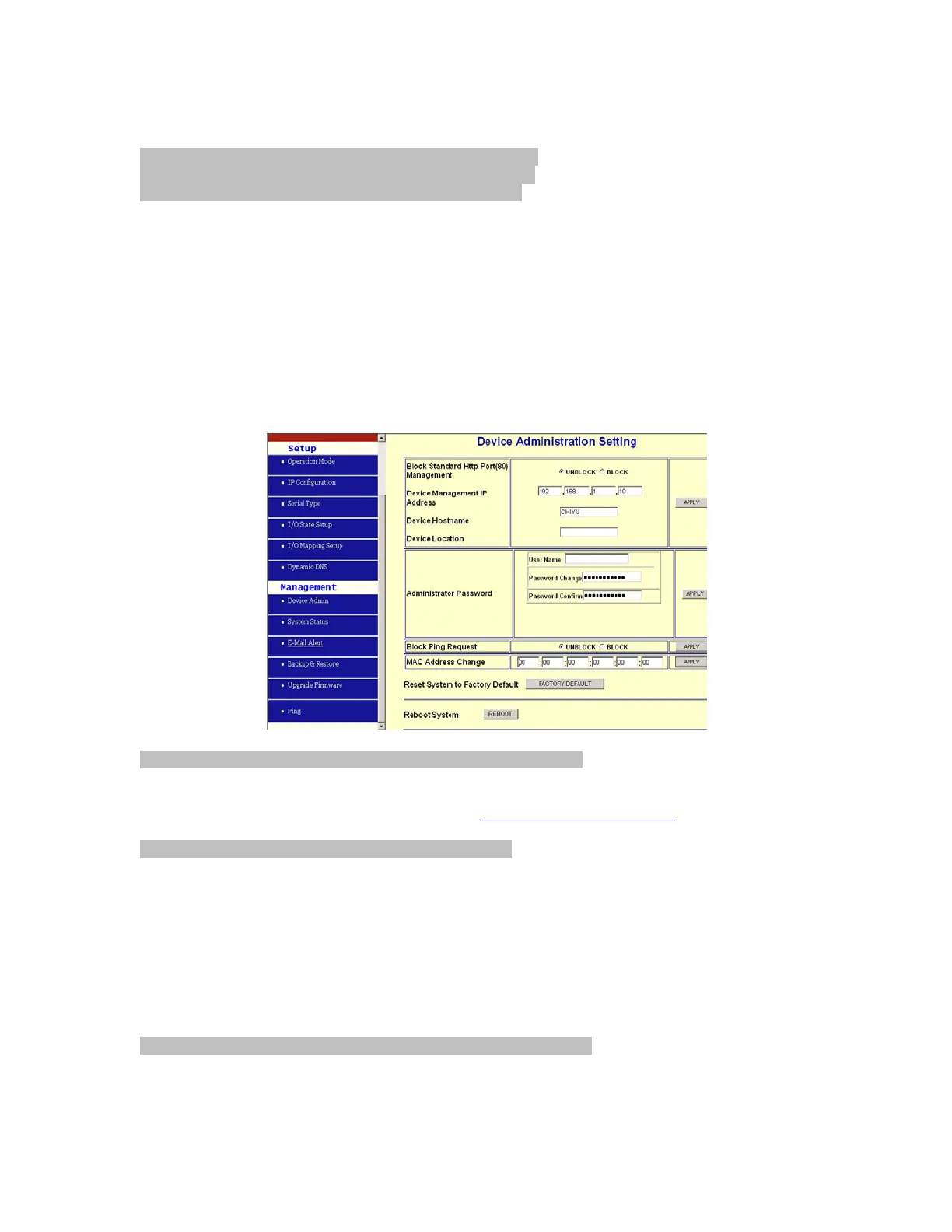
Block Standard HTTP Port(80) Management: default UNBLOCK
If for some reason, the HTTP (80) service is blocked in your network environment and result to
fail to configure or manage BF-480, then you select BLOCK this function with using port 8080,
instead of standard port 80. So you should enter:
http://192.168.168.125:8080 in your browser.
Device Management IP Address: default 192.168.1.10
In case, you forgot the BF-480’s IP address you ever set, this management IP can be used to
connect to BF-480 to figure out what’s the current IP address be used.
In case, you set BF-480’s IP Configuration as DHCP or PPPoE which will assign dynamic IP
address to BF-480, you also can use this management IP address to find what’s the current
working IP address in Intranet.
Note: If you forgot the IP address setting even management IP address, please use the
broadcast utility we offer in CD to search it.
Device Hostname: default CHIYU, maximum length 15 characters
To describe the name of BF-480 for manage purpose.


 To Next Page