Device Location: no default, maximum length 15 characters
To describe the location of BF-480 for manage purpose.
Administrator Password
User Name: default admin
Password: default admin
To ensure the BF-480’s security, you will be asked for your password when you access the
BF-480’s Web-based Utility.
z User Name: Enter the user name to one of your choice.
z Password: It is recommended that you change the default password to one of your choice.
z Password Confirm: Re-enter theBF-480’s new Password to confirm it.
Block Ping Request: default UNBOCK
To prevent hacker intruding your network, check the BLOCK option to enable this
function to reject the PING requests from Internet.
MAC Address Change
The BF-480’s MAC address can be changed from the original values if necessary. Some ISPs
require users to change the MAC address to a registered one when users change their access
equipment. (Detail sees Appendix B)
Reset System to Factory Default
Click “Apply”, if you want to return all the BF-480’s current settings to its factory default. Note: do
not restore the factory defaults unless it is absolutely necessary
.
Reboot System
Click “Apply”, if you want to clear a connection, reboot, and re-initialize the unit without affecting
any of your configuration setting.
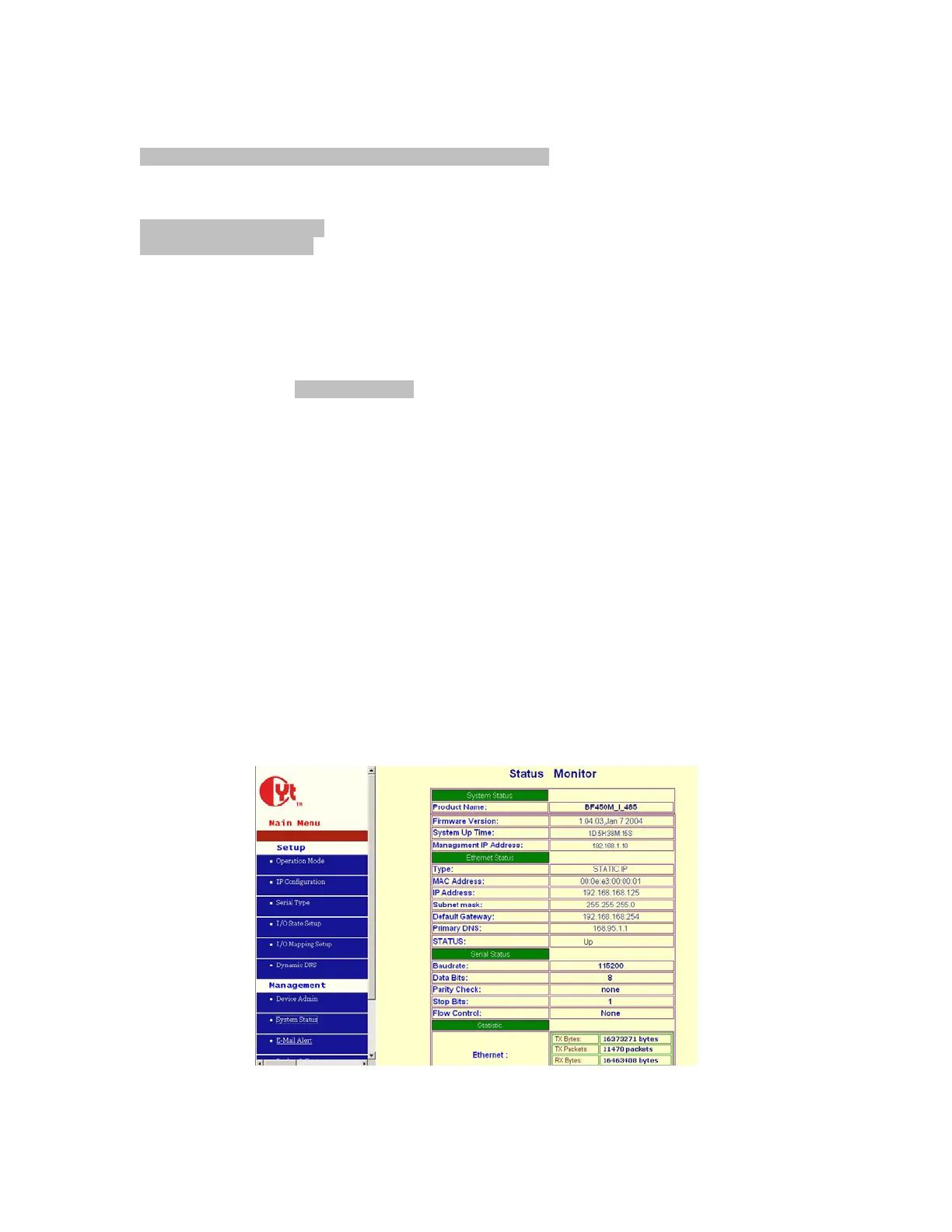
4.2 System Status
This screen shows the BF-480’s current status. All of the information provided is read-only.



 To Next Page