Appendix B: DDNS
Internet actually runs on IP Addresses which are numerical order, for example “63.208.196.100”.
These IP Address identify the location of each device connected to Internet. However, the human
brain does not easily remember this numbering system, so a system that allocate domain name
such as “www.dyndns.org” provides an easier method. If you type “63.208.196.100” or
“
www.dyndns.org” in the web browser’s address bar, the browser will show the same web page.
This is because both methods relate to the same web server. The “Domain Name Servers”
used to manage the Internet will translate “
www.dyndns.org” into the IP Address
“63.208.196.100” in order to allow your browser to find the web server and display the correct
web page in your browser.
If your “IP Configuration”, as shown in 3.2 section, is “PPPoE”, or “DHCP” with dynamic IP
address assigned by ISP, your IP address may change each time you initiate the connection to
your ISP. The DDNS function will help to map your IP address to your domain name when your
ISP assigns a new dynamic IP Address.
Note that this DDNS function acts as the client appliance of DDNS service and is
only able to be use in conjunction with the service provided by DynDNS.org and
TZO.com. Before you begin using this function, you will need to apply to
DynDNS.org or TZO.com to be able to use the service. Please visit
www.dyndns.org or www.tzo.com for further information.
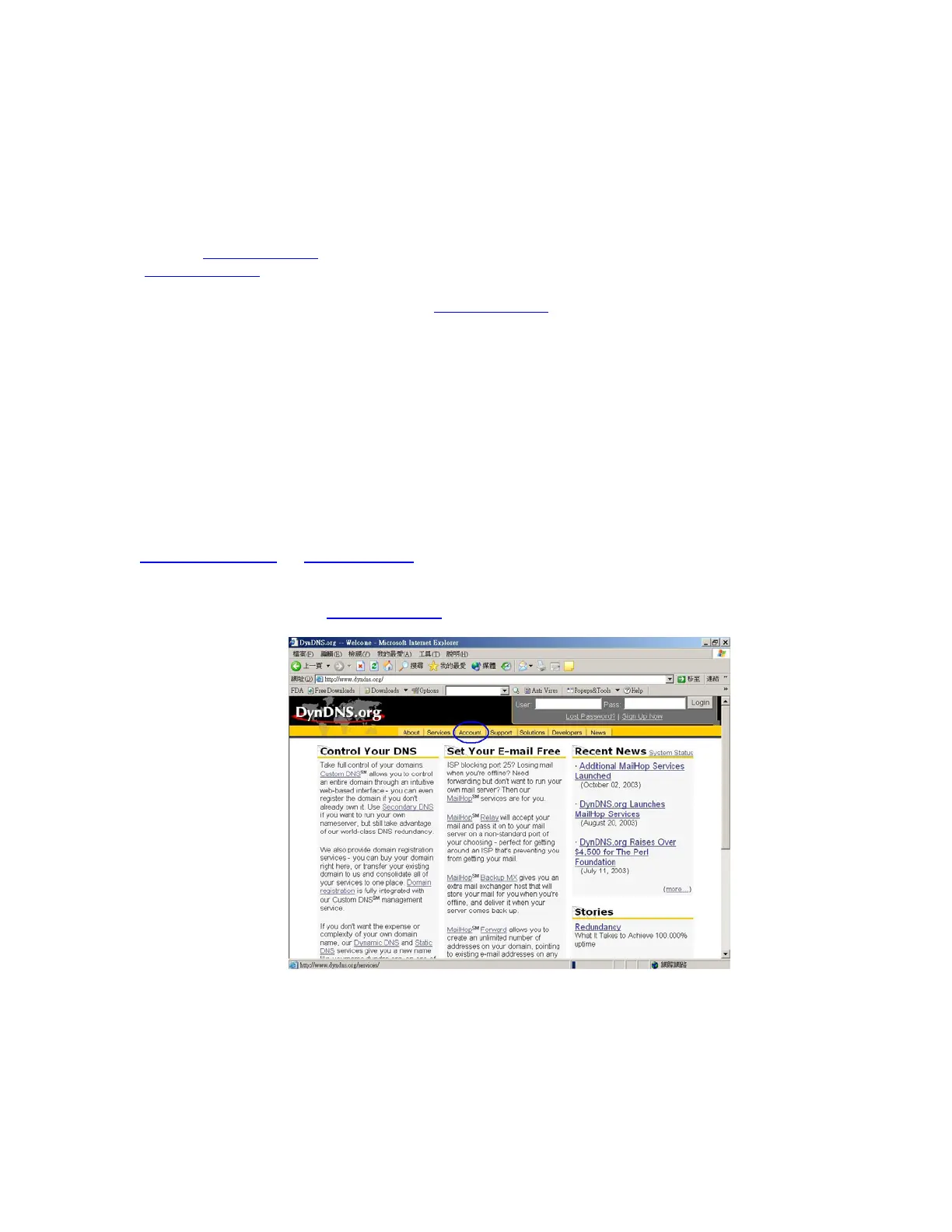
How to register from Dyndns.org
Step 1: Enter the web side www.dyndns.org in Browser, click the tab of Account.



 To Next Page