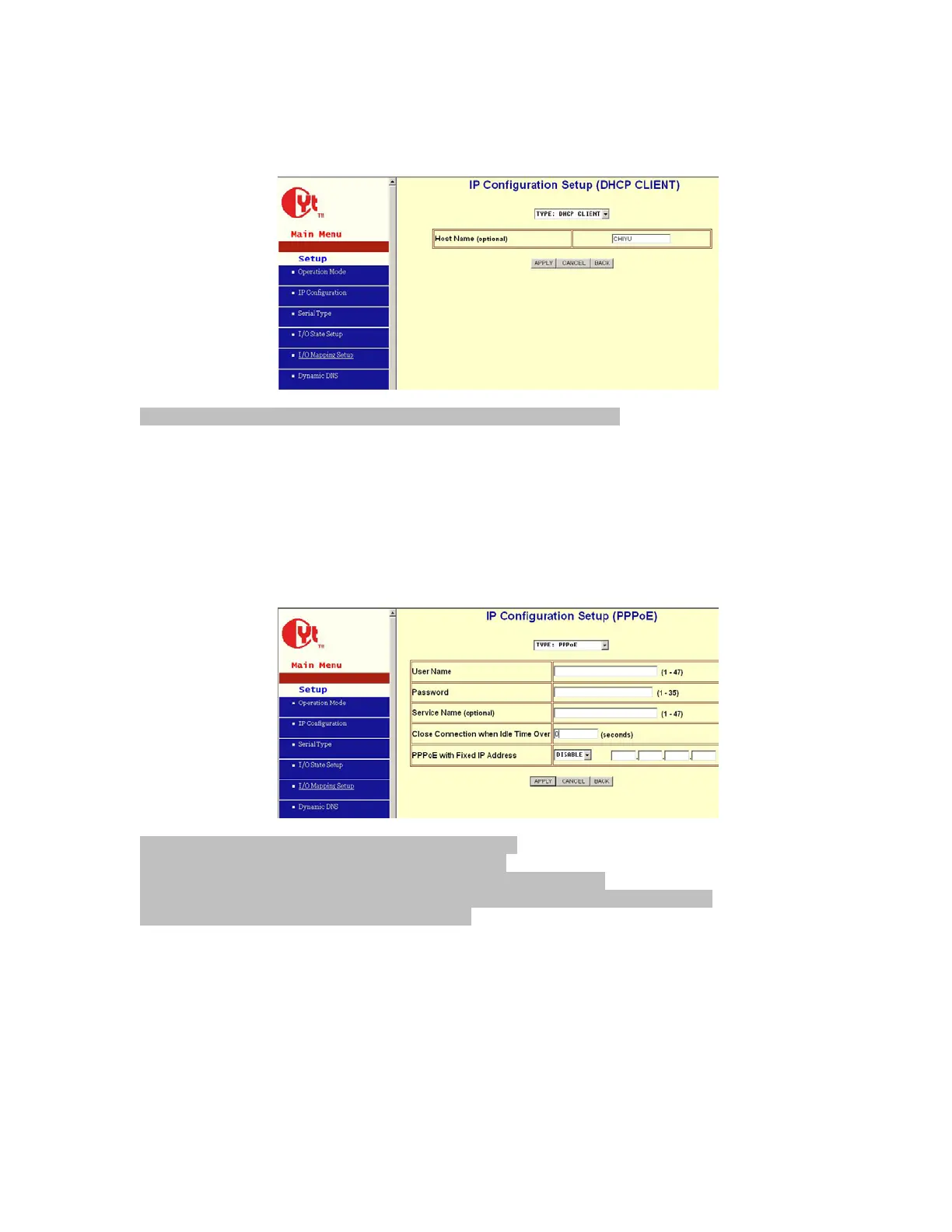
DHCP
Host Name (Optional): default CHIYU, maximum length 15 characters
If there is a DHCP Server existing in your network environment or you subscribe a CABLE
service from your ISP, you can set IP configuration to DHCP to get a dynamic IP address. The
Host Name is an optional item, depending on your DHCP Server setting.
Note 1: to gain CABLE service, you also need to change the MAC address of BF-480 to the
MAC address of register in ISP. Please refer to Chapter 4 Device Admin/Mac Address
Change
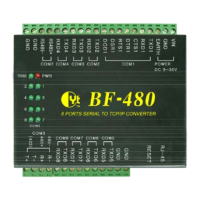
PPPoE
User Name: no default, maximum length 47 characters
Password: no default, maximum length 35 characters
Service Name (optional): no default, maximum length 47 characters
Close Connection when Idle Time Over (second): default 0, range 0 to 4294967295
PPPoE with Fixed IP Address: default DISABLE
If you subscribe a DSL service with PPPoE connection from ISP, you can set IP configuration to
PPPoE to get a dynamic IP address. Your ISP will provide you the User Name and Password,
some ISP will also need the Service Name to authenticate. But this item is optional and
depending on your ISP.
If you want to keep the connection always on between BF-480 and your ISP, then set the value of
item Close Connection When Idle Time Over to 0, otherwise, when the idle time of no any
traffic on line is over the setting value, BF-480 will terminate this PPPoE connection.
If your ISP can provide you fixed IP address when PPPoE connection established each time, you
can select PPPoE with Fixed IP Address as ENABLE and enter the IP address given from ISP.


 To Next Page