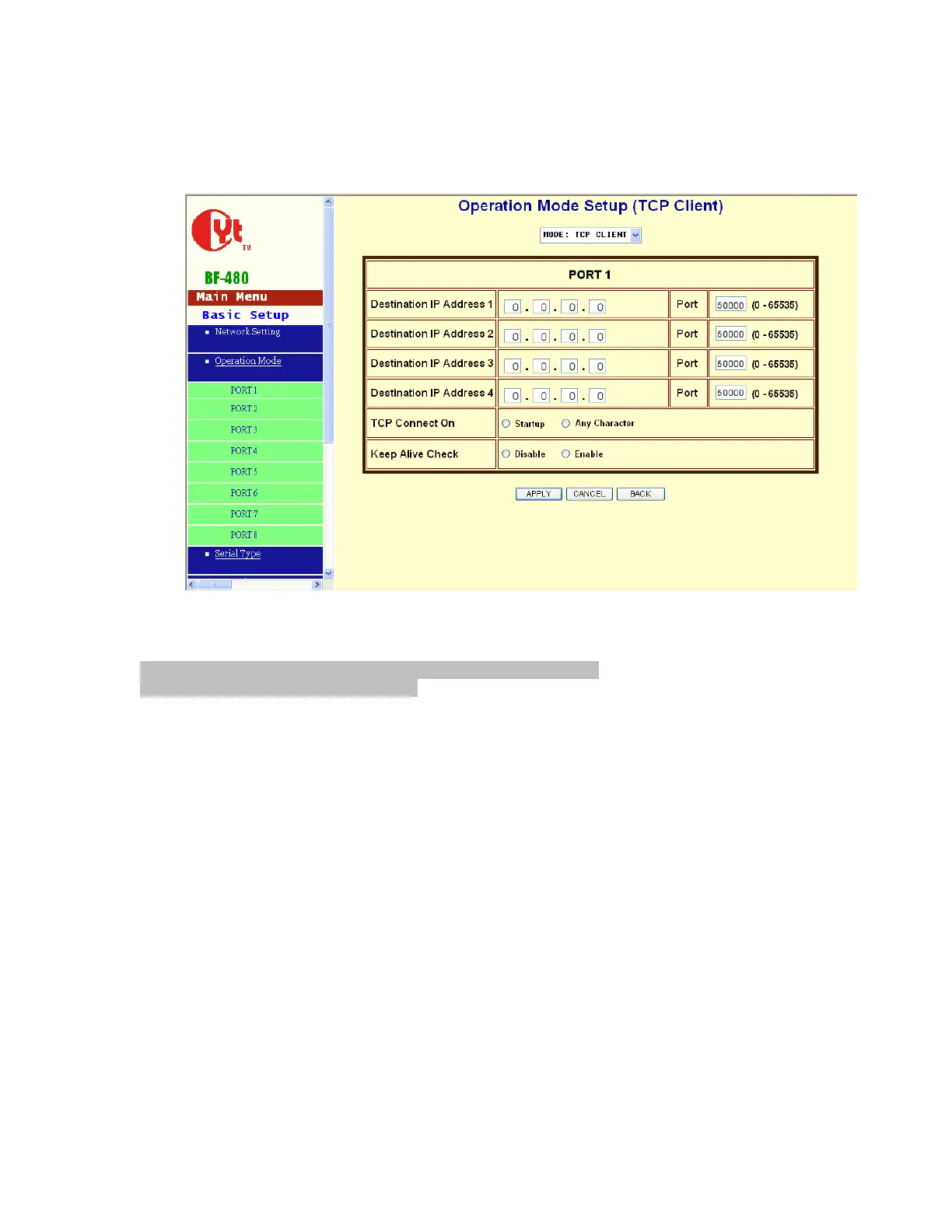
TCP Client
Remote Connection Port Number: default 50000, range 0 to 65535
Remote Host IP Address: default 0.0.0.0
If your device is acted as active to report real-time status to remote and the data be guaranteed to
be received by peer is your concern, then you can set BF-480 as TCP Client. Be sure the value of
item Remote Connection Port Number is same as your remote control application using and set
the correct value of Remote Host IP Address.
TCP Connection: default Start Up
Start Up means BF-450(M)/430/431 attempts to establish a TCP connection as soon as powered
on.
Any Character means BF-450(M)/430/431 attempts to establish a TCP connection as soon as
starts receiving data from serial port.


 To Next Page