Chord Electronics
ULTIMA PRE | Manual
_
The ULTIMA PRE comes equipt
with an AV Bypass mode,
allowing the output of an AV
surround sound processor to
be connected and then routed
directly to the output. You may
need this when switching from a
5.1 suround sound to a 2.0 set up
for audio listening.
ULTIMA PRE also features an AV
Bypass Monitor output which
can be used as another AV
Bypass output or to connect up a
monitior.
4.1 Placement
4.2 Connecting an input to
ULTI MA PRE
4.3 Connecting ULTIMA PRE to a
power amplifier
4.4 Connecting ULTIMA PRE
to a recording device
4.5 Connecting ULTIMA PRE
to a AV device
4.6 Connecting ULTIMA PRE
to headphones
Connecting ULTIMA PRE
to a AV device
4.5
22 // 34
AV Bypass
input and
output
5) With the Volume a the lowest
setting initiate playback and
gradually increase the volume
to a comfortable setting
to protect your hearing and
devices.
Please view section 5.5 for more
details on using an AV device
with ULTIMA PRE
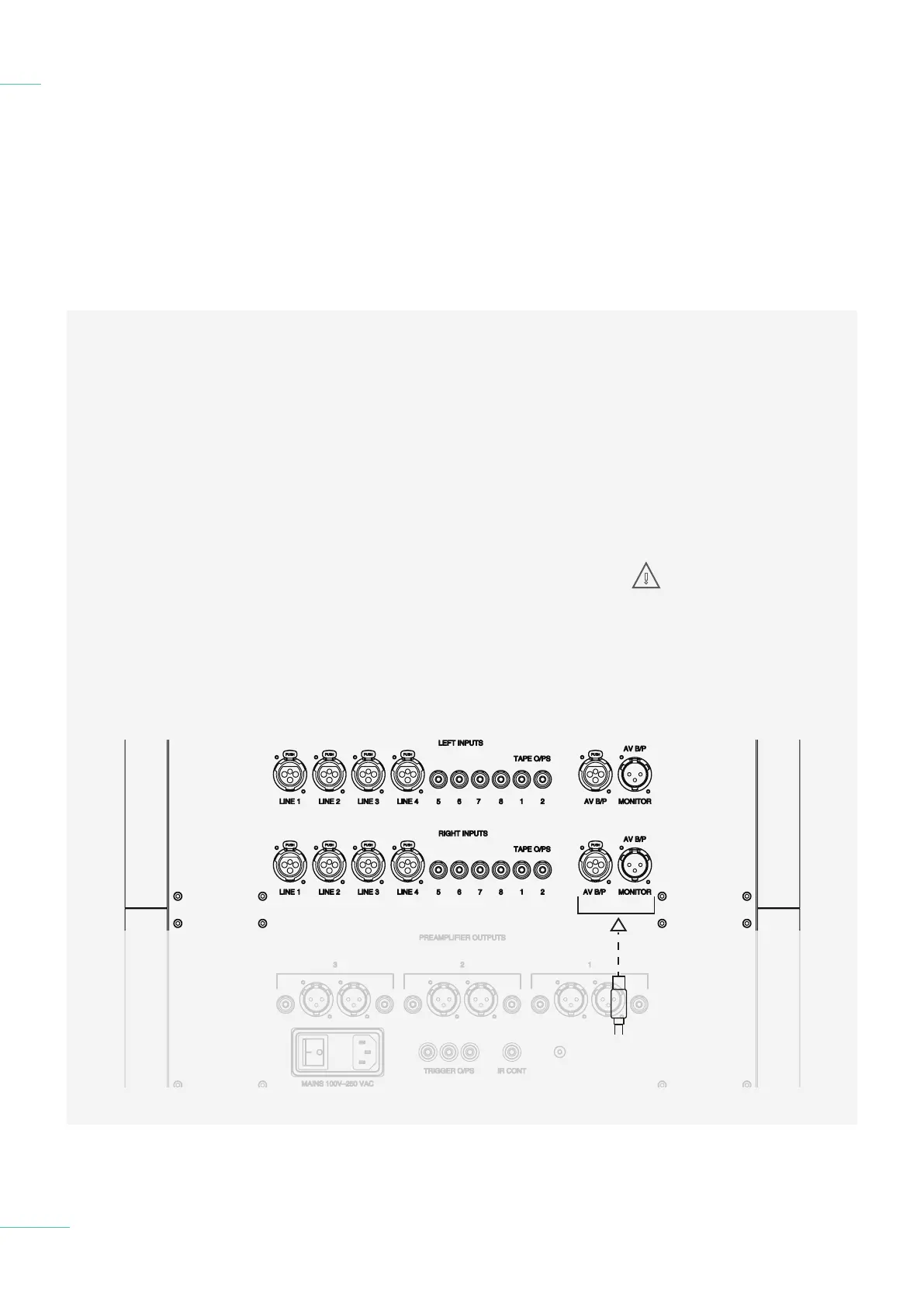
To set up with an AV unit;
1) Turn o the ULTIMA PRE
and any other connected
equipment.
2) Locate the AV bypass inputs
shown below and connect
your device with XLR cables.
3) Connect up the power
amplifier as shown in section
4.3.
4) Select the appropriate
input on the AV device and
ensure AV bypass mode has
been selected on the ULTIMA
PRE.
WARNING: The
volume control in the
ULTIMA PRE will be
bypassed so please check
before switching on your AV
processor that the volume is
turned down.



 To Next Page