Chord Electronics
ULTIMA PRE | Manual
_
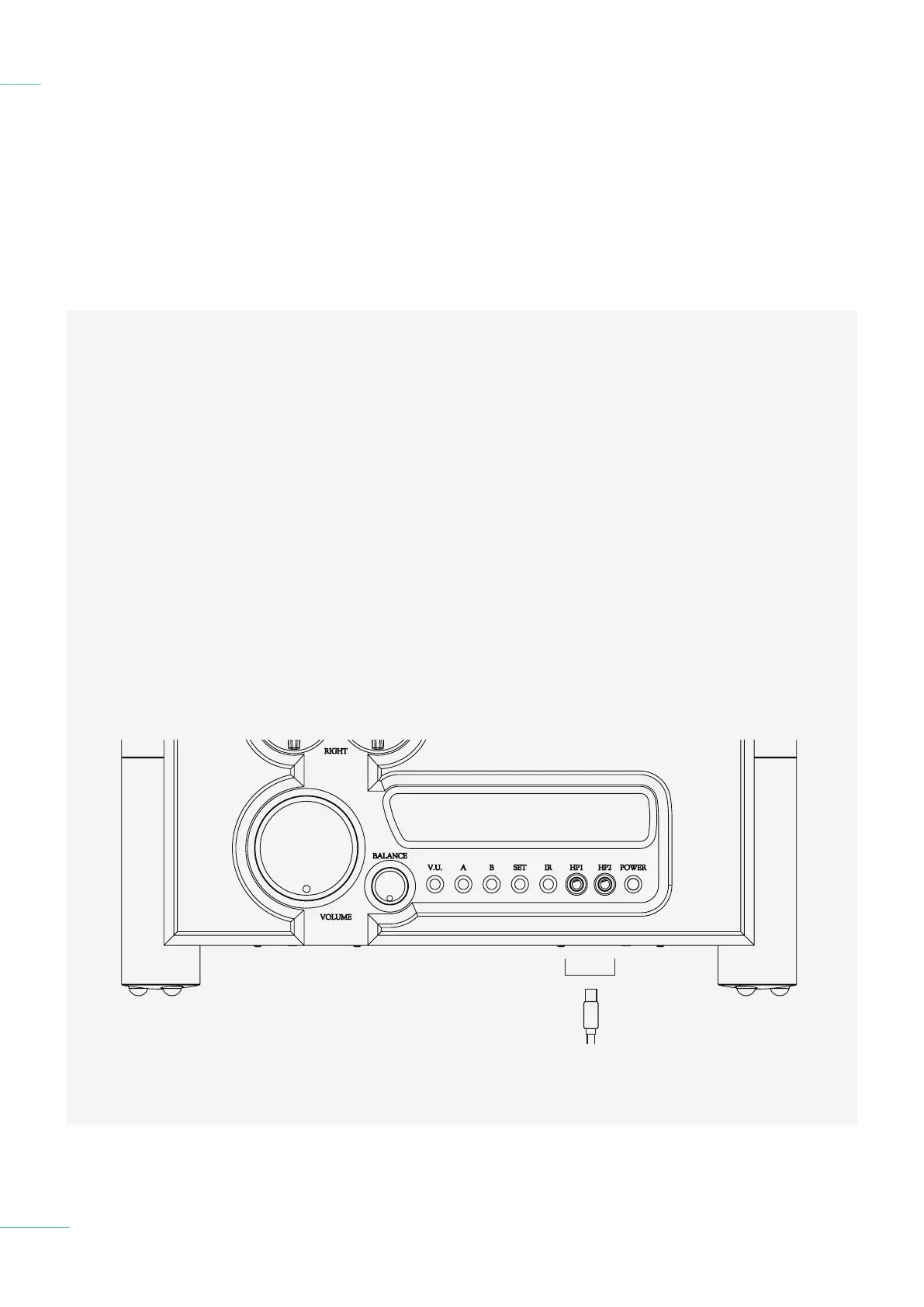
If you want to use the Ultima Pre
2 with headphones, it features
two 1/4 inch headphone sockets
on the front panel. Headphone
mode does not automatically
mutes your loudspeakers. You
must the amplification o.
1) Turn o the ULTIMA PRE 2
and any other connected
equipment.
2) Locate the 1/4 inch
headphone jacks on the
front of the unit and plug
in the jack. Use an adapter if
needed.
4.1 Placement
4.2 Connecting an input to
ULTI MA PRE
4.3 Connecting ULTIMA PRE to a
power amplifier
4.4 Connecting ULTIMA PRE
to a recording device
4.5 Connecting ULTIMA PRE
to a AV device
4.6 Connecting ULTIMA PRE
to headphones
Connecting ULTIMA PRE
to headphones
4.6
23 // 34
3) With the Volume set to
the lowest setting Turn on all
equipment, including the
ULTIMA PRE 2.
4) Allow both the ULTIMA PRE 2
and power amplifier to power
up.
5) Ensure the output mode is
set to Heapdhones. If it is
not check the cable is
corectly connected.
6) With the Volume a the lowest
setting initiate playback and
gradually increase the volume
to a comfortable setting
to protect your hearing and
headphones.



 To Next Page