Section 3: Operation
3-24 013-100199-04
NOTE: The value shown represents where the approximate center of the image lies in
relation to the total number of pixels available vertically. This varies widely
according to the signal—watch the image while adjusting.
Advanced Size and Position
— SUBMENU
This submenu consists of the following options:
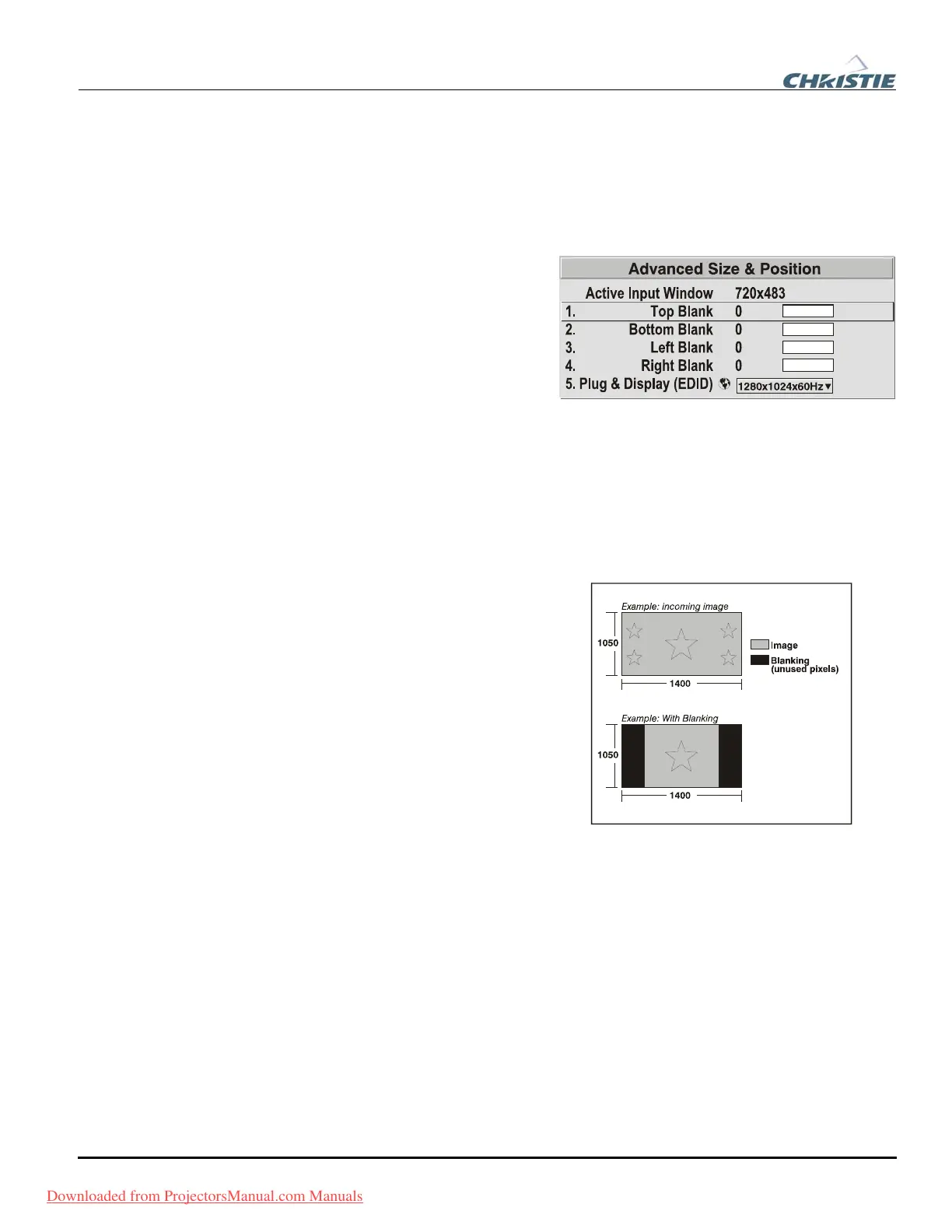
ACTIVE INPUT WINDOW: This read-
only value indicates the current
size (i.e., area) of your displayed
data or “region of interest” as
defined by the blanking controls.
By default, the projector
automatically determines what
portion of its full resolution to use,
and pixels in the surrounding
borders are turned off. You can
also specify a specific active input window size by adjusting one or more “Blank”
settings. For example, if you have blanked (cropped) 100 pixels from both the left and
right edges of an incoming source of 1400 x 1050, the remaining active input window
will be reduced to 1200 x 1050. When using SD or HD or a decoded video source at
INPUT 3 or INPUT 4, the default blanking of “0” defines an active input window of 720
x 483.
BLANKING (TOP, BOTTOM, LEFT, and
RIGHT):
Crop the image as desired so
that unwanted edges are removed from
the display (changed to black—see
right). Blanking defines the size of the
Active Input Window, or area of
interest. Range of adjustment depends
on the source resolution and other
factors. After adjustment of blanking it
may be necessary to perform a source
switch.
NOTE: Blanking a PIP image
resembles zoom (see Figure 3.6). For
example, left Blanking zooms the right
side of the PIP image; Right Blanking
zooms the left side. There are no black
bars.
Blanking of a Primary Image
Downloaded from ProjectorsManual.com Manuals



 To Next Page