Section 3: Operation
013-100199-04 3-25.
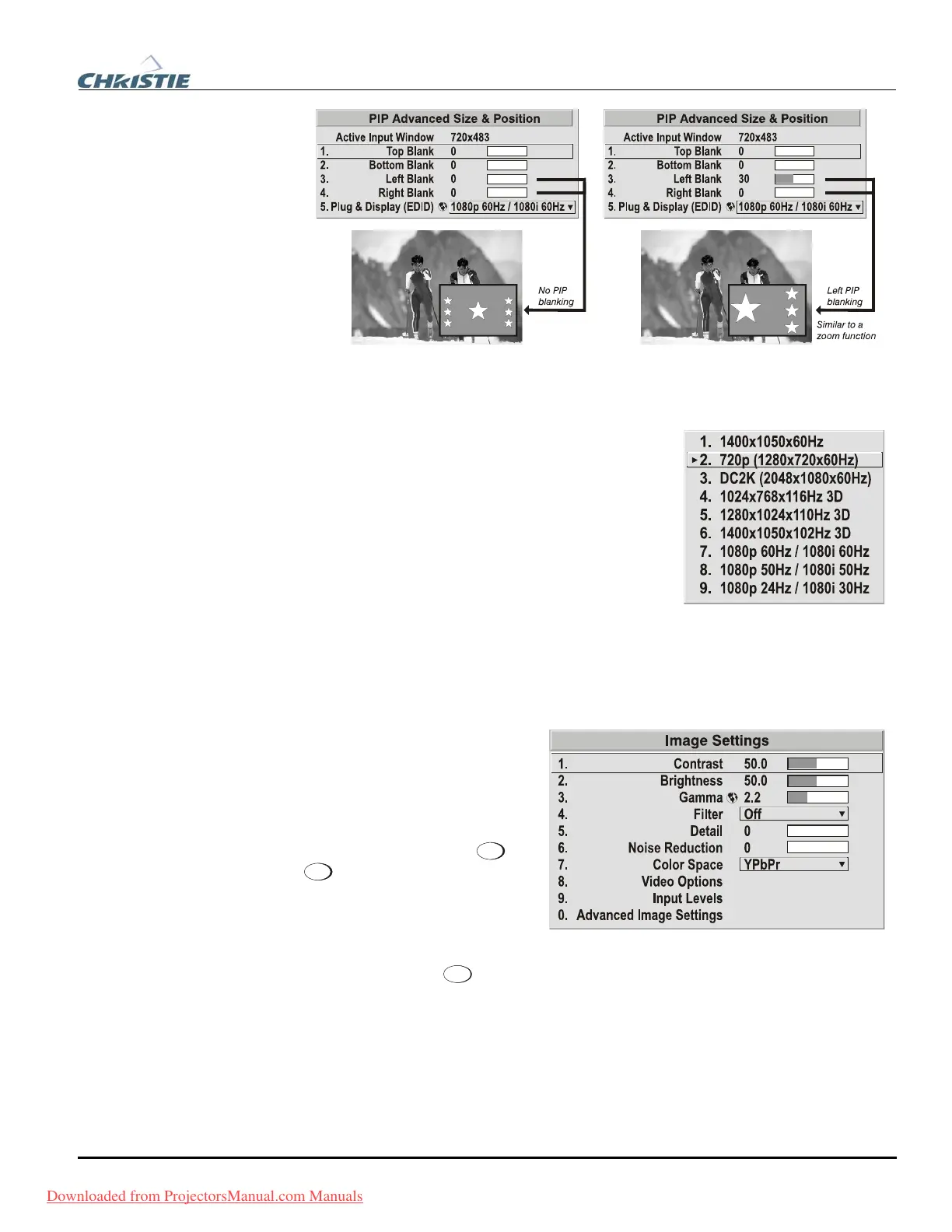
Figure 3.6. Blanking of a PIP Image
PLUG & DISPLAY (EDID): By default, a Plug & Play
(EDID) source outputs a signal according to the
EDID information provided by the projector. To
override this information and display in a different
format (for example, if your Plug & Play [EDID]
device does not support the projector’s resolution
and/or frequency), select the desired Plug & Play
(EDID) resolution from the list.
Any daisy-chained projectors will also display
according to the chosen Plug & Play (EDID) format.
EDID = Extended Display Identification Data standard.
Use options in the Image Settings
menu to alter your main image
without affecting its size or
position. Changes made to the
Image Settings menu are applied
immediately and are saved when
you exit the menu (press
Exit
or
Menu
). Options not available for
the projector model or source are
disabled and appear dim (gray).
Contrast
(
SHORT CUT: Press
Contrast
and adjust the slide bar.)
“Contrast” increases or decreases the perceived difference between light and dark
areas of your image (0-100). For best results, keep close to 50. If contrast is set too
high, the light parts of the image lose detail and clarity. If the contrast is set too low,
the light areas will not be as bright as they could be and the overall image will be dim.
For best results, start with a low value and increase so that whites remain bright but
are not distorted or tinted, and that light areas do not become white (i.e., are
“crushed”).
Ima
e Settin
s Menu f
Downloaded from ProjectorsManual.com Manuals



 To Next Page