11
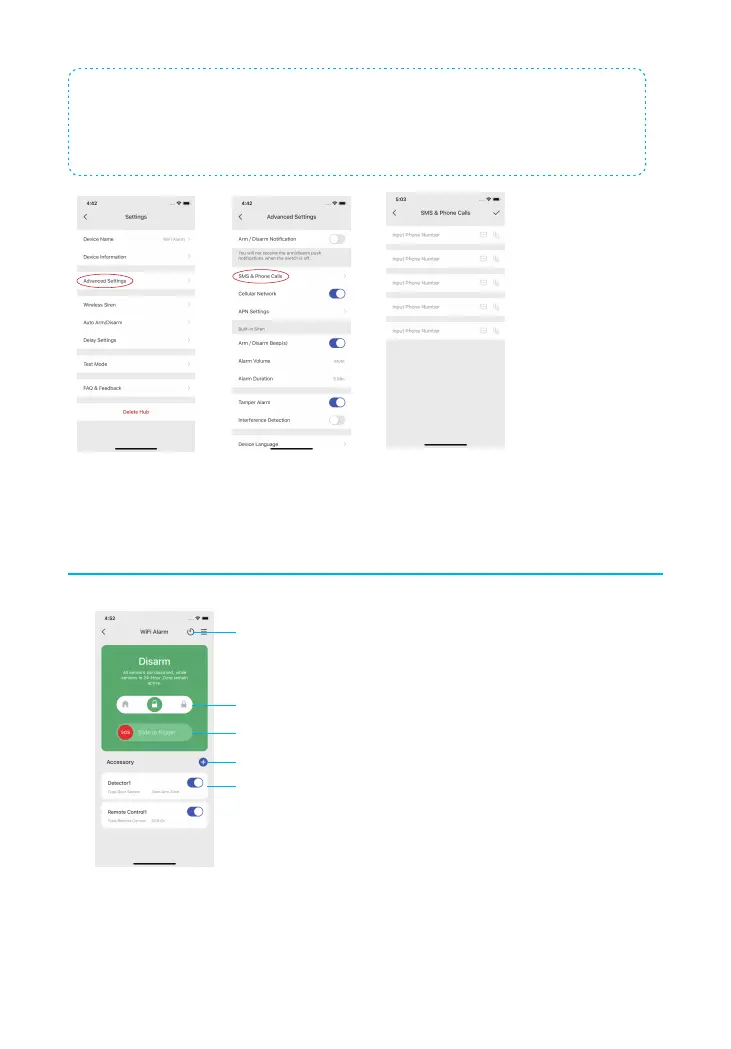
Note: If you intend to use Cellular as a backup in case of Wi-Fi disconnection, please insert
the SIM card and go to LTE-400 Settings --Advanced Settings -- rst enable Cellular Network
and input required information for cellular data in APN Settings. Set up SMS & Phone calls
notication can be found here as well, input the number which you’d like to receive SMS/
Phone calls and click the SMS/Phone call icon(s) respectively.
Device Control and Settings
History & Setting
SOS Alarm
Tap to add new accessories
Accessory Status
System Status: Home Arm, Disarm, Arm



 To Next Page