29
Replacing Accessory Batteries
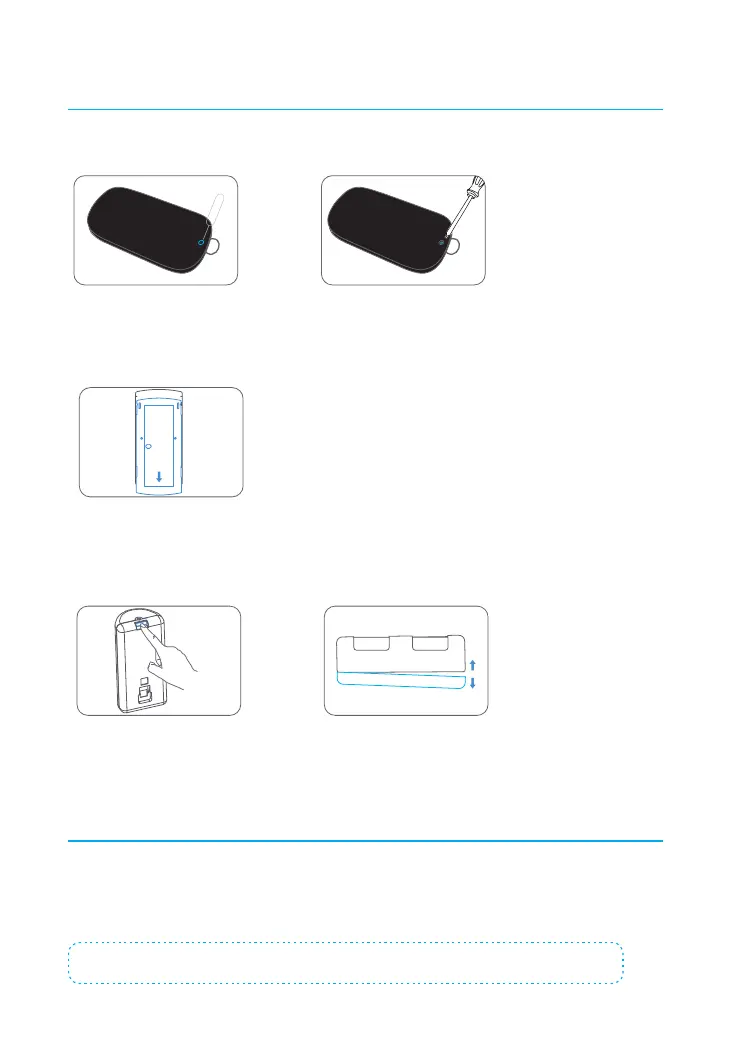
Remote Control
Remove the screw Open the casing
Door/Window Contact
Press down the back cover to slide it open and replace the battery
Pet-Immune PIR Motion Detector
Press down the snap joint Open the case and replace the battery
Restoring to Factory Settings
Press the Network Conguration button underneath the hub for 10 seconds, hearing one
beep at the 5th second then two beeps at the 10th second, which indicate the operation
is complete. Release the button and the hub will automatically restart afterwards.
Note: Previously paired accessories will remain connected to your hub after a restore.



 To Next Page