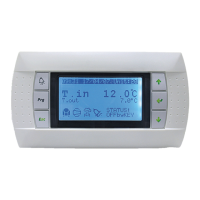
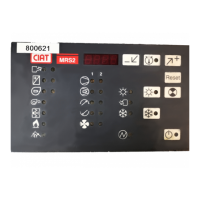
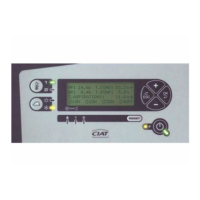
● Configuration method for Master/Slave operation
The connection bus between the controllers must meet the KNX specifications and be fed by a KNX supply.
This configuration is performed using a wall-mounted display terminal (using 2 display terminals is advised).
Before configuring, all controllers connected to the KNX bus must be switched on (even if they are not affected by the master/
slave).
1 - Case of a Master unit with 1 slave:
a) Start with the master
- Set parameter P00 to 1.
- To switch to configurator mode press buttons
for 5 seconds, and the CnF menu will be displayed.
- Press
for 5 seconds until the display "Add
1
" flashes.
b) Go on to the slave
- Perform the same operation as above, setting parameter P00 to 2, 3 or 4 beforehand, according to the chosen slave type.
c) The configuration takes around 1 min to 1.5 mins. It is completely finished when the fixed display "Add
0
" appears
d) To return to normal display, press
e)
If the display "Err" appears, an error has occurred
Check:
- The bus wiring
- Its supply
- Parameter P00 on the master and slave
and restart the operation
Configuration on SLAVE on MASTER
Step 1
Set P00 on the master via the
3 buttons
(see ccessing Parameters paragraph)
Pco = 1
Step 2
Access the "CnF" menu on the Maste
/ for 5 s
Switch the Master to configuration
-
for 5 s
- "Add
x
" flashes
Step 3
Set P00 on the slave via the
3 buttons
(see "Accessing Parameters" paragraph)
P00 = 2 – 3 or 4
depending on the chosen
slave type
Step 4
Access the "CnF" menu on the Slavee
/ for 5 s
Switch the Slave to configuration
-
for 5 s
- "Add
x
" flashes
Step 5 Wait 1 min to 1.5 mins
Configuration step displayed,
from Add
1
to Add
6
Configuration step displayed,
from Add
1
to Add
6
.
Step 6 End of configuration if:
"Add
0
"
Fixed display
"Add
0
"
Fixed display
Step 7 Configuration successful
Button
to exit CnF menu
EN7515935-00 EN - 14



 To Next Page