19
Replacing the Web Server’s Private Key and Certificates
The B3075’s web server uses the HTTPS protocol for communication with web browsers. The B3075
ships with a pre-assigned private key and a self-signed operational certificate that are used by the
B3075’s web server.
Note: Modern web browsers will display security warnings when they navigate to a web server that
uses a self-signed certificate. For example, Google Chrome says that the B3075’s web pages are
“not secure” and that the “certificate is not valid”.
It is possible to replace the B3075’s pre-assigned private key and the self-signed operational certificate.
You can generate these using a software tool such as contained in OpenSSL. The use of such tools is
outside of the scope of this document. Once you have created the private key file and the corresponding
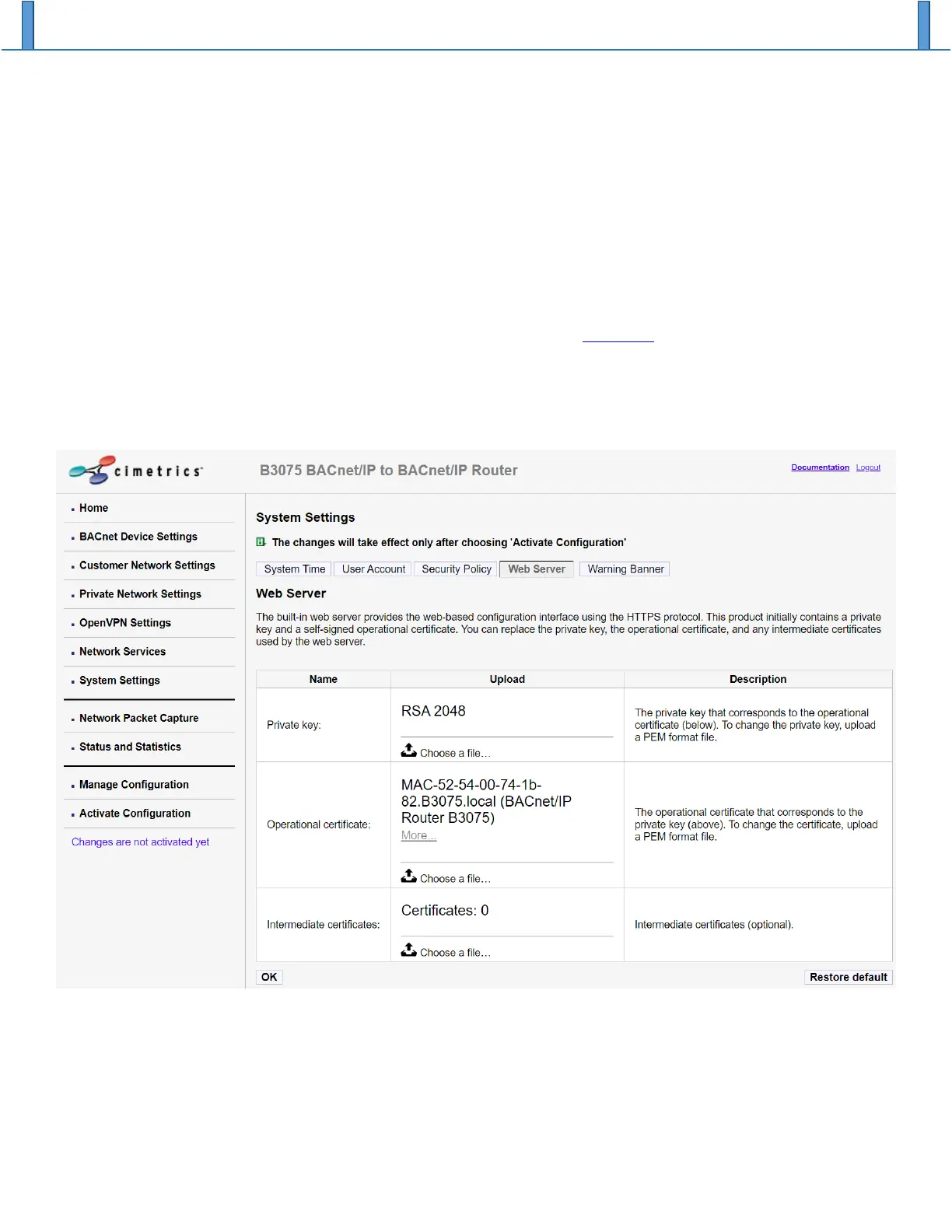
operational certificate files (PEM format), navigate to the System Settings page, and choose the Web
Server tab, as shown below. To replace and existing file, click on “Choose a file” and then select a file on
your PC to upload to the B3075.


 To Next Page