16
Network Packet Capture
The B3075 can be configured to capture BACnet/IP packets that are sent or received on either BACnet
port. A few other types of packets are also captured. The files containing the captured packets can be
downloaded using the configuration interface and then viewed using applications such as Wireshark.
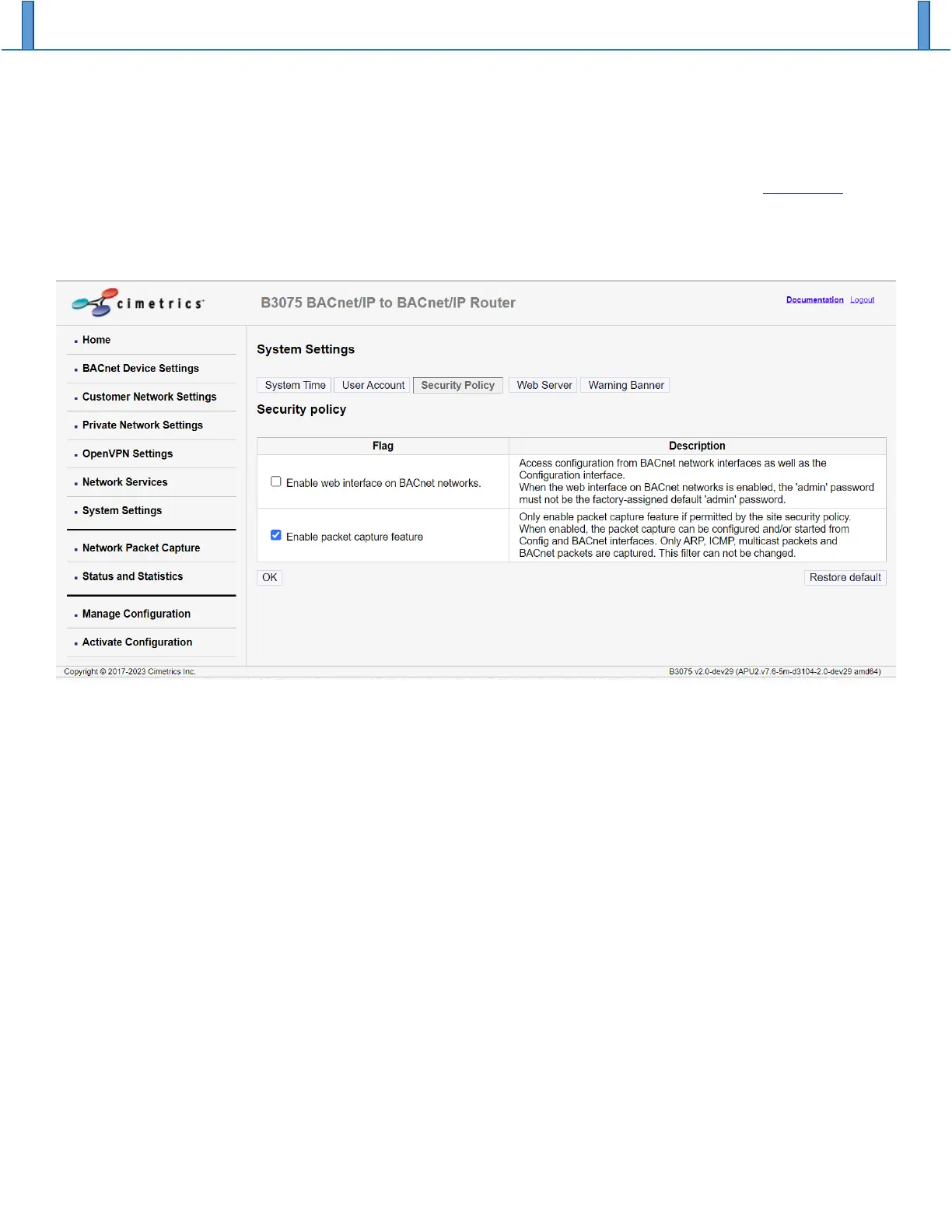
Network packet capture is off by default and must first be enabled through the configuration interface
using the checkbox “Enable packet capture feature” on the System Settings web page, Security Policy tab.
Click on the “OK” button to accept your changes before proceeding.
When you enable network packet capture, you should also set the B3075’s system time from the System
Settings web page System Time tab. This will ensure that the packet timestamps will be reasonably
accurate, assuming that the connected PC’s clock is accurate. (This is not necessary if NTP is being used
for time synchronization.)
Navigate to the “Activate Configuration” web page to save the new configuration and reboot. You should
now be able to start capturing network packets.
The simplest way to capture packets is to use the B3075’s internal RAM for temporary packet storage.
Click the “Start” button to begin the capture. You can click on the “Stop” button to terminate a running
packet capture, and then click “Download files” to download the compressed packet capture file(s). The
packet capture files created by the B3075 are managed as a ring buffer: When the last file is full, the
oldest file is removed, and the resulting free space is reused to create a new file. Under normal
conditions, packet capture continues until explicitly stopped by the user.
Note: The packet capture files stored in the B3075’s internal RAM are not persistent, so they will be
erased when the B3075 is rebooted.


 To Next Page