6
Basic B3075 Software Configuration
Before you start
Before configuring and installing the B3075, please ensure that you have the following:
• The B3075 router box.
• The B3075’s power adapter and an appropriate power cord.
• An Ethernet cable to connect your PC to the B3075’s configuration port.
• The B3075 quick start document, which includes a basic configuration checklist.
You will need to gather the necessary data about your planned installation. Refer to the configuration
checklist and to this User’s Manual for information about configuring the B3075.
Configuration Interface Overview
Follow the instructions in the B3075 Quick Start document to set up your PC to communicate with the
B3075’s configuration port, and then connect the PC and the B3075’s configuration port using an
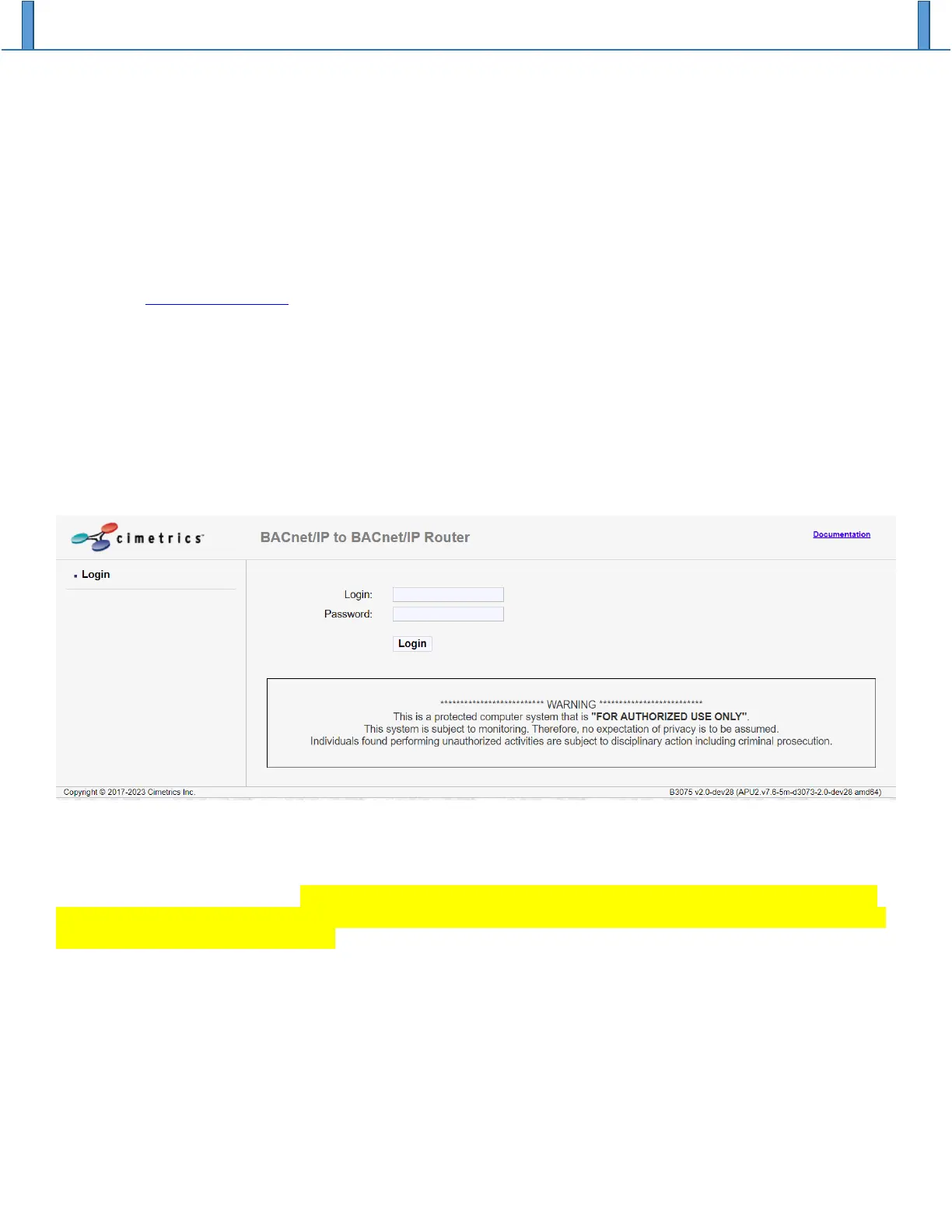
Ethernet cable. Enter the IP address of the B3075’s configuration port in your web browser to access the
login page, and if all is well then you should see a login screen like the following:
Enter the login “admin” and the factory default admin password that is written on the label affixed to the
bottom of your B3075. Note that the “admin” account is always enabled. You will be required to change
the password for the “admin” account upon first use, and the new password must meet the complexity
requirement that is displayed. Note: The new password will not be saved until configuration changes are
activated, so we recommend that you activate changes immediately after changing the password (see the
section Activate New Configuration).
Even if you lose the “admin” password, you can reset the B3075 to factory default settings and recover the
factory default admin password using the procedure described in section How to reset to factory default
settings if the admin password is unknown.
Once you have successfully logged in you will see the home page which shows a little information about
the B3075:


 To Next Page