13
Activate New Configuration
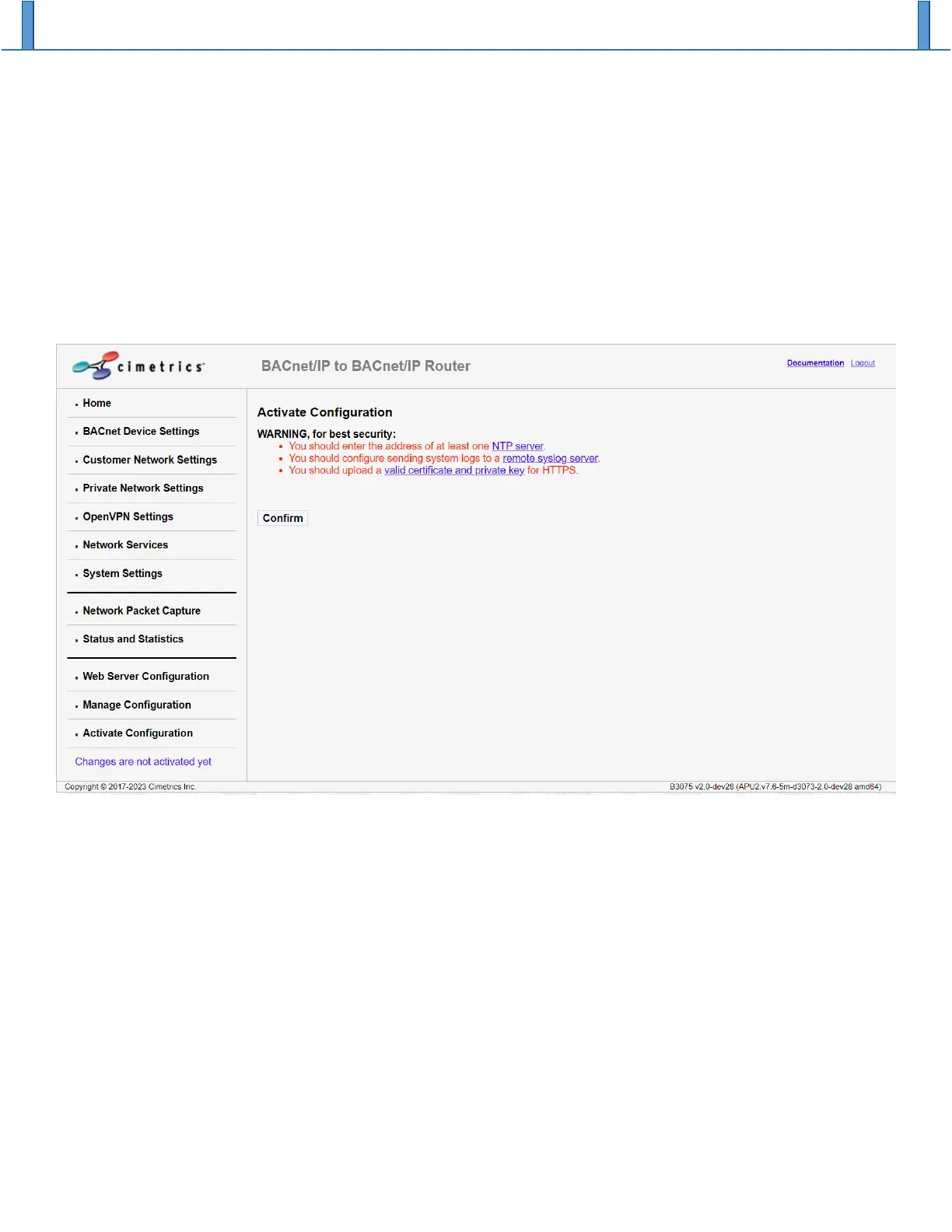
Once changes are made to any configuration parameter on the B3075, the changes get saved and applied
only after the new configuration is activated from the Activate Configuration page. Activation is needed if
you see the text “Changes are not activated yet” below the menu, shown in blue letters in the lower left
part of the screen shot below. One or more configuration warnings may be displayed. If the B3075 does
not detect any configuration errors, clicking on the “Confirm” button will initiate a reboot of the device after
the configuration changes have been saved in the B3075’s non-volatile memory.
Note that if the B3075 is disconnected from its power source or a logout occurs (manually by the user or
automatically due to a timeout), all configuration changes that have not been activated will be discarded.


 To Next Page