11
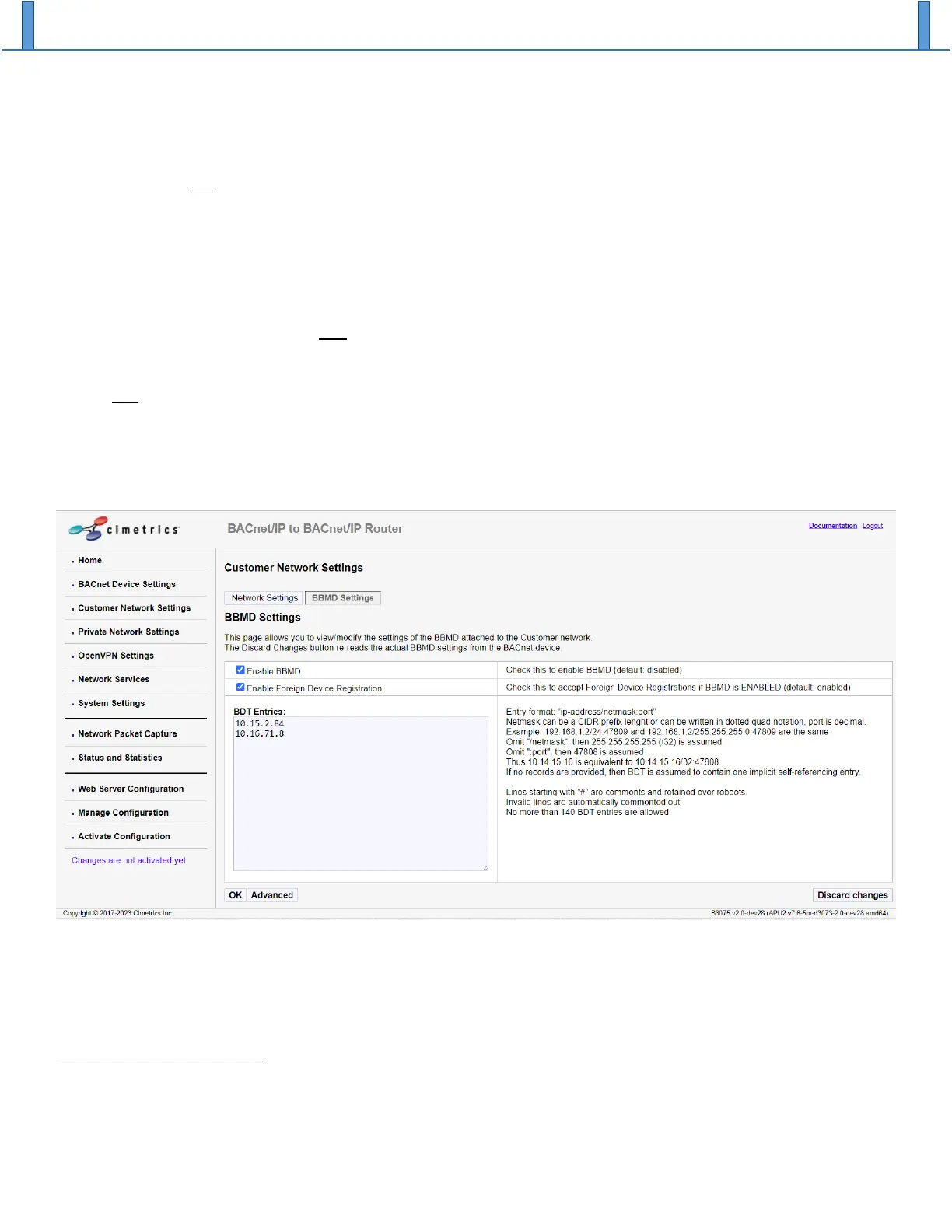
address 10.14.1.15 is using UDP port 47809 for BACnet/IP. It is rare that a netmask other than
255.255.255.255 would be used today, so accepting that default value is almost always correct.
Note: It is not necessary for you to include the B3075’s own IP address in the BDT Entries table. If
you do include the IP address of the B3075 in that table, then on the Activate Configuration web
page you may see a spurious warning message such as the following: “Some BDT addresses are
inside of Customer network with same port.”
The Enable Foreign Device Registration option should only be enabled if Foreign Devices need to use this
BBMD to relay broadcast messages on their behalf. If enabled, the BBMD will accept a BACnet/IP Foreign
Device Registration request from any device.
Note: Connecting a B3075 so that it is accessible from the Internet or from an untrusted network is
not recommended unless appropriate cybersecurity precautions are in place, and this is especially
true if the Foreign Device Registration option is enabled.
Please remember to click on the “OK” button to accept your changes before you move to a different web
page.
Advanced BBMD Configuration Parameters
Advanced BBMD configuration parameters can be accessed by clicking on “Advanced” near the bottom of
the BBMD Settings web page. These advanced parameters rarely need to be modified.
Reject Write-BDT requests
The BACnet Standard defines an interoperable method for modifying the Broadcast Distribution Table of a
BBMD over the network using a specific BACnet/IP message, Write-Broadcast-Distribution-Table. For


 To Next Page