22
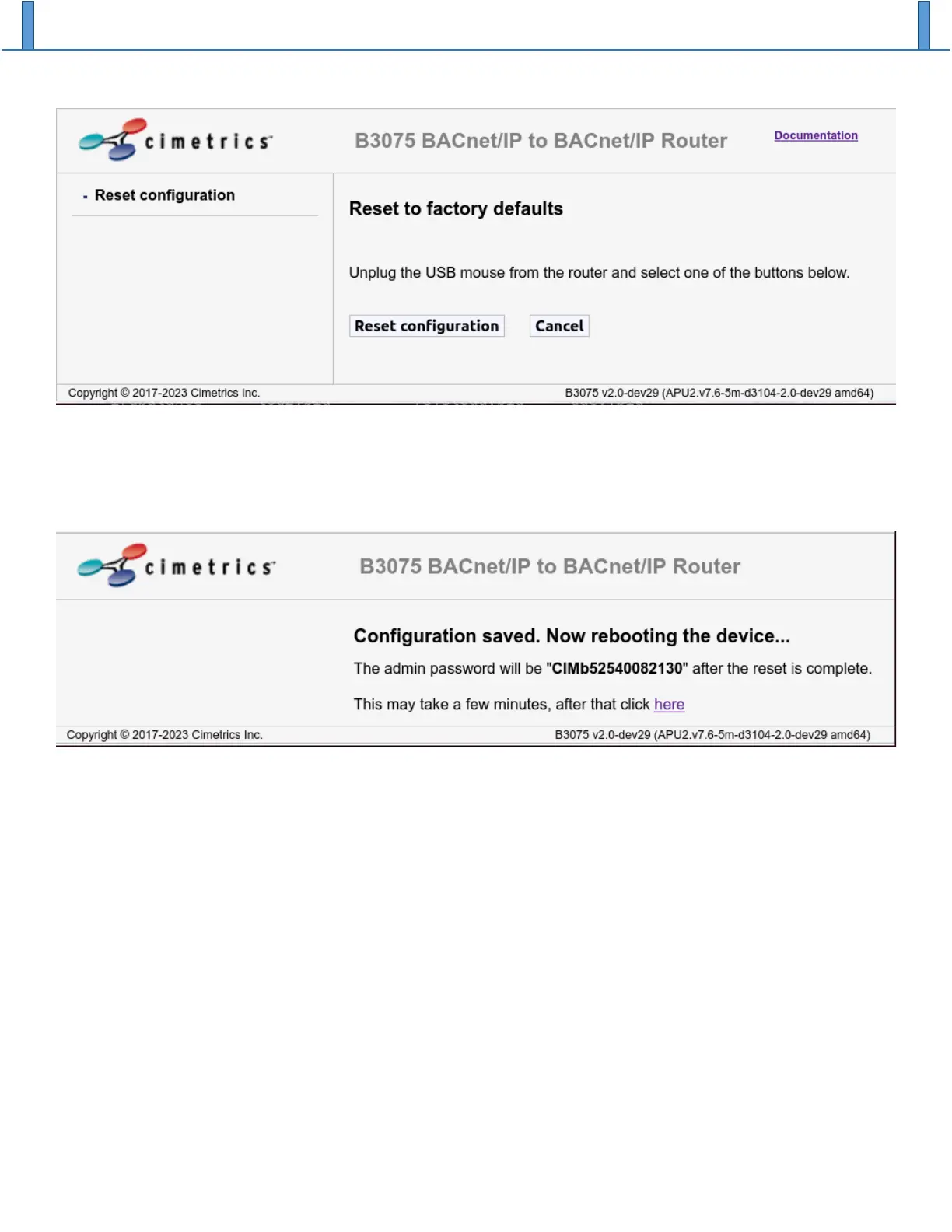
3. After you see a web page like the one above that instructs you to unplug the USB mouse from the
router, please do that. This must be done before the next step.
4. Click on the “Reset configuration” button. If all is well, you should see a web page like the
following:
You can reconfigure the B3075 as required after you login using the factory default admin password,
which is shown on the web page.


 To Next Page