3-18
Cisco 7206 Installation and Configuration Guide
OL-5102-02
Chapter 3 Installing the Cisco 7206
Connecting I/O Controller Cables
Ethernet and Fast Ethernet RJ-45 Connection Equipment
The RJ-45 port on the I/O controller is configurable for 100 Mbps full-duplex or half-duplex
(half-duplex is the default) and supports IEEE 802.3 (Ethernet) and IEEE 802.3u interfaces complaint
with 10BASET and 100BASETX specifications.
The RJ-45 port supports standard straight-through and crossover Category 5 unshielded twisted-pair
(UTP) cables (refer to Figure 3-15). Cisco Systems does not supply Category 5 UTP cables; these cables
are available commercially.
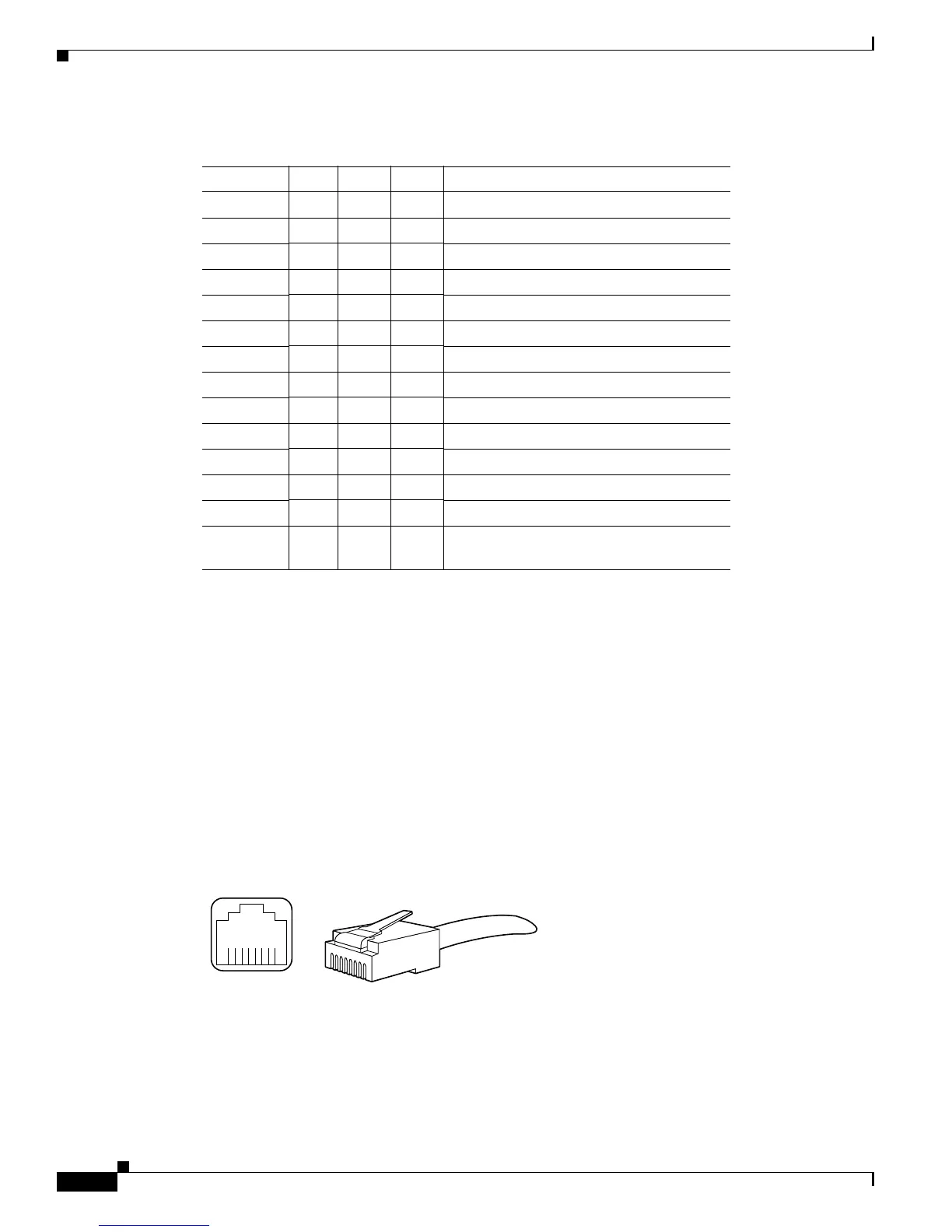
Figure 3-17 shows the RJ-45 port and connector. Table 3-4 lists the pinouts and signals for the RJ-45
port.
Figure 3-17 RJ-45 Port and Plug
Table 3-3 MII Port Pinout
Pin
1
1. Any pins not indicated are not used.
In Out I/O Description
14–17 – Yes – Transmit Data (TxD)
12 Yes ––Transmit Clock (Tx_CLK)
2
2. Tx_CLK and Rx_CLK are provided by the external transceiver.
11 – Yes – Transmit Error (Tx_ER)
13 – Yes – Transmit Enable (Tx_EN)
3 – Yes – MII Data Clock (MDC)
4–7Yes––Receive Data (RxD)
9Yes––Receive Clock (Rx_CLK)
2
10 Yes ––Receive Error (Rx_ER)
8Yes––Receive Data Valid (Rx_DV)
18 Yes ––Collision (COL)
19 Yes ––Carrier Sense (CRS)
2 –– Yes MII Data Input/Output (MDIO)
22–39 –– – Common (ground)
1, 20, 21,
40
–– – +5.0 volts (V)
H2936
8 7 6 5 4 3 2 1
RJ-45 connector



 To Next Page
 Loading...