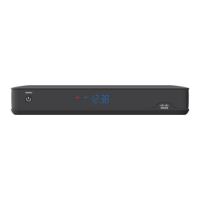
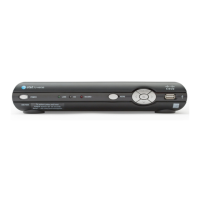
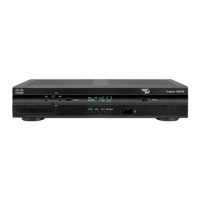
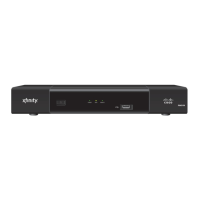
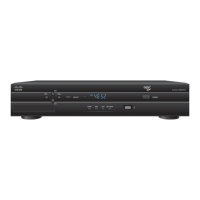
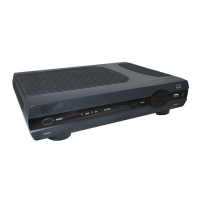
The Cisco CIS430 High-Definition IPTV Set-Top with DVR is a device designed to enhance the television viewing experience by providing access to Internet Protocol Television (IPTV) services. It integrates a Digital Video Recorder (DVR) for recording programs, supports High-Definition (HD) video, and offers Video-On-Demand (VOD) capabilities. The set-top connects to a home's in-home IP network using existing wiring and is compatible with a wide range of entertainment devices.
Function Description:
The primary function of the CIS430 is to receive and decode IPTV signals, delivering high-quality video and audio to a television. Its integrated DVR allows users to record their favorite programs, pause live TV, and access a library of movies and shows on demand. The device supports HD video, providing clearer pictures and sound compared to standard-definition television. It acts as a central hub for home entertainment, connecting to various audio and video components.
Important Technical Specifications:
- Video Output: Supports High-Definition Multimedia Interface (HDMI), Digital Visual Interface (DVI) (with adapter), Component (YPbPr) for HD, S-Video, and Composite Video for Standard Definition (SD).
- Audio Output: Digital audio via HDMI and Optical, analog audio via RCA-type (L/R) connectors.
- Network Connectivity: Ethernet (CAT-5), coaxial cable (HomePNA™ 3.1 technology), and twisted pair cable (HomePNA™ 3.1 technology with adapter).
- USB Port: Available for connecting USB devices.
- DVR: Features a sophisticated hard disk drive for recording and streaming digital video.
- Supported Video Formats: 480i, 480p, 720p, 1080i.
- Aspect Ratios: Supports both 4:3 (standard-screen) and 16:9 (wide-screen) aspect ratios, with programming displayed in letterbox format on 4:3 screens and full screen on 16:9 screens.
- Digital Content Protection: HDMI and DVI ports support High-bandwidth Digital Content Protection (HDCP).
Usage Features:
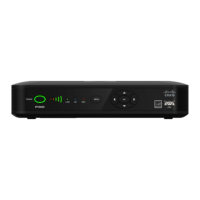
- Front Panel Controls:
- Power Button: Turns the set-top on or places it in standby mode (green LED).
- Link LED: Indicates network link status (green LED).
- HD LED: Illuminates blue when a high-definition program is in progress.
- Record LED: Illuminates red when a recording is in progress.
- IR Sensor: Receives infrared signals from the remote control.
- Menu Button: Accesses the on-screen menu.
- Arrow Keys: Navigates on-screen services such as guides, video-on-demand, or pay-per-view, and menus.
- OK Button: Selects the current item.
- USB Port: Front-facing USB connector for convenience.
- Connectivity Options:
- HDTV Connections: HDMI (digital video and audio), DVI (digital video, requires separate audio), Component (YPbPr) (high-definition component video). Some HDTVs with RGB or RGB-HV connectors may require an RGB adapter.
- SDTV Connections: Component (YPbPr) (standard-definition component video), S-Video (optimal video connection, requires separate audio), Video Out (composite video, requires separate audio), To TV (Video Out) (coaxial cable, channel 3/4 output).
- VCR/DVD Recorder Connections: S-Video Out and Audio Out (L/R) for S-Video VCRs; Video Out and Audio Out (L/R) for composite VCRs/DVD recorders.
- Home Theater System: Can be integrated using Component (YPbPr) video and Optical or RCA-type (L/R) audio.
- Network Integration: Connects to the home network via Ethernet (CAT-5), coaxial cable, or twisted pair cable (with adapter) to access IPTV services.
- Picture Formats: Automatically adjusts display based on the TV's screen type (wide-screen or standard-screen), aspect ratio, and screen resolution (480i, 480p, 720p, 1080i). Users can select scan modes that match their HDTV's capabilities.
Maintenance Features:
- Safety Instructions: Emphasizes important safety guidelines, including proper power source connection, grounding, protection from lightning, and avoiding AC mains overloads.
- Ventilation: Requires proper ventilation; should not be placed on soft surfaces, unstable surfaces, or in enclosed spaces without adequate airflow. Other entertainment devices or objects should not be placed on top of the unit.
- Cleaning: Unplug the product before cleaning. Use only a dry cloth; avoid liquid or aerosol cleaners and magnetic/static cleaning devices.
- Handling: Exercise caution when moving the DVR due to its sensitive hard disk drive. Wait at least 10 seconds after powering down for the drive head to spin down before moving.
- Servicing: Servicing should only be performed by qualified service personnel. Opening the cover voids the warranty and exposes users to dangerous voltages. The product contains no user-serviceable parts.
- Troubleshooting Guide: Provides tips for common issues such as no picture, no color/incorrect color, and no sound, including verifying connections, power status, input selections, and TV settings.
- Screen Burn-In Prevention: Advises against displaying fixed images (like letterbox bars, side bars, station logos) for extended periods on HDTV screens to prevent screen burn-in.

 Need help?
 General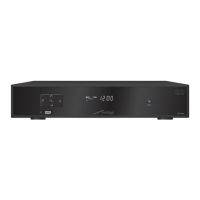


 To Next Page