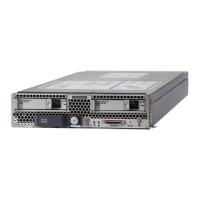
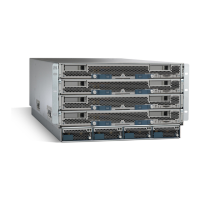
Installing a CMOS Battery
All Cisco UCS blade servers use a CR2032 battery to preserve BIOS settings while the server is not installed
in a powered-on chassis. Cisco supports the industry standard CR2032 battery that is available at most
electronics stores.
There is danger of explosion if the battery is replaced incorrectly. Replace the battery only with the same or
equivalent type recommended by the manufacturer. Dispose of used batteries according to the manufacturer’s
instructions.
Warning
To install or replace the battery, follow these steps:
Procedure
Step 1 Remove the existing battery:
a) Power off the blade, remove it from the chassis, and remove the top cover.
b) Push the battery socket retaining clip away from the battery.
c) Lift the battery from the socket. Use needle-nose pliers to grasp the battery if there is not enough clearance
for your fingers.
Step 2 Install the replacement battery:
a) Push the battery socket retaining clip away from where the battery fits in the housing.
b) Insert the new battery into the socket with the battery’s positive (+) marking facing away from the retaining
clip. Ensure that the retaining clip can click over the top of the battery to secure it in the housing.
c) Replace the top cover.
d) Replace the blade server in the chassis.
Servicing a Blade Server
7
Servicing a Blade Server
Installing a CMOS Battery


 To Next Page
 Loading...