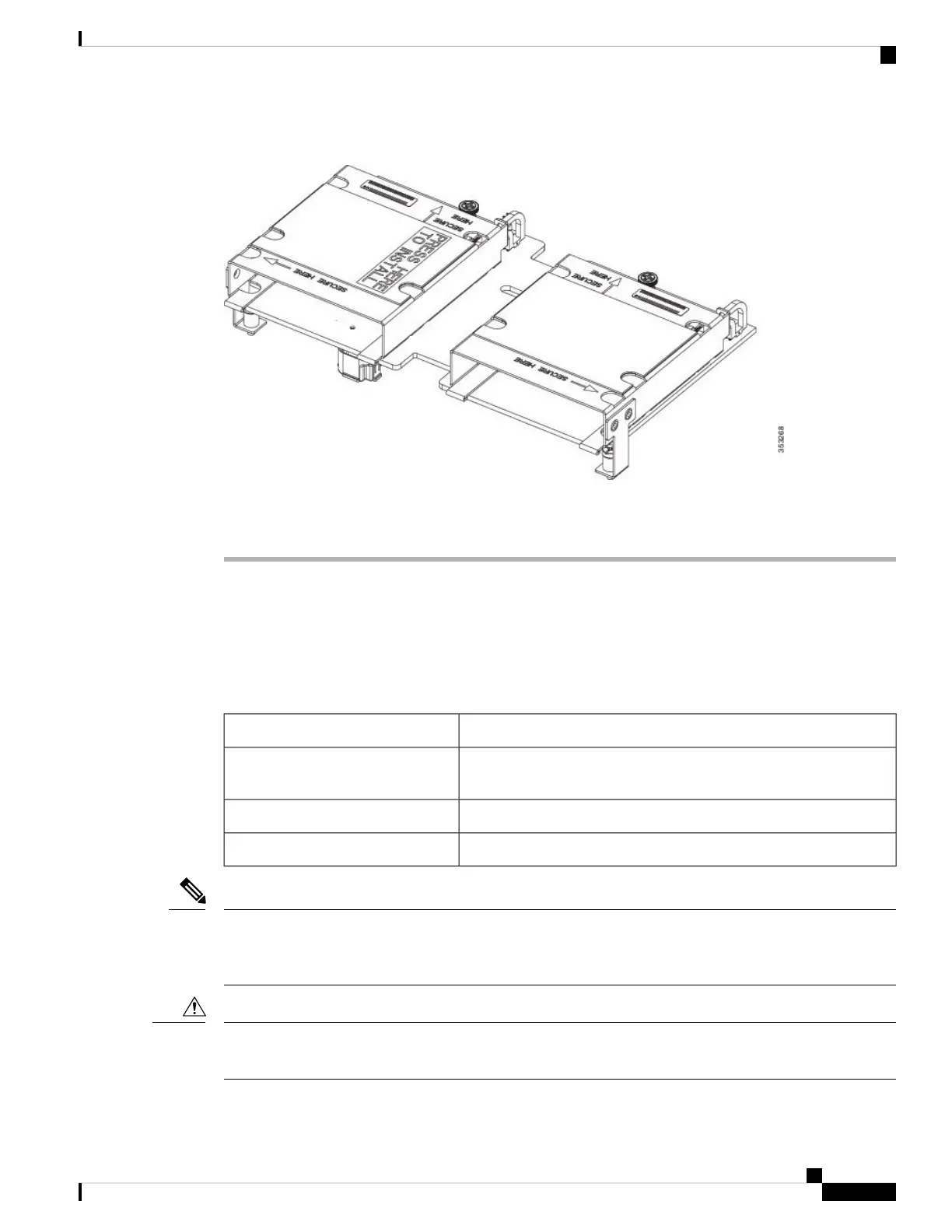
Figure 6: FlexStorage Module
Step 3 Using a Phillips-head screwdriver, tighten the four screws to secure the FlexStorage module. The locations
of the screws are labeled "Secure Here."
Upgrading to Intel Xeon E5-2600 v4 CPUs
Before upgrading to Intel Xeon E5-2600 v4 Series CPUs, ensure that the server is running the required
minimum software and firmware versions that support Intel E5-2600 v4 Series CPUs, as listed in the following
table.
Minimum VersionSoftware or Firmware
Release 3.1(1e) with 3.1(1g) ucs-catalog.3.1.1g.T.bin, or Release
2.2(7b) (See the following Note for additional supported versions.)
Cisco UCS Manager
Release 3.1(1g) or Release 2.2(7b)Cisco IMC
Release 3.1(1g) or Release 2.2(7b)BIOS
Cisco UCS Manager Release 2.2(4) introduced a server pack feature that allows Intel E5-2600 v4 CPUs to
run with Cisco UCS Manager Release 2.2(4) or later, provided that the Cisco IMC, BIOS and Capability
Catalog are all running Release 2.2(7) or later.
Note
Ensure that the server is running the required software and firmware before installing the Intel E5-2600 v4
Series CPUs. Failure to do so can result in a non-bootable CPU.
Caution
Servicing a Blade Server
9
Servicing a Blade Server
Upgrading to Intel Xeon E5-2600 v4 CPUs


 To Next Page
 Loading...