EasyManua.ls Logo

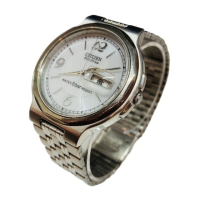
Citizen E760 - User Manual

Citizen E760
24 pages
Print Icon
To Next Page IconTo Next Page
Loading...
TECHNICAL INFORMATION
INFORMACION TECNICA
CITIZEN QUARTZ
Cal. No. E76
(Cal. No. E760)

Other manuals for Citizen E760

Questions and Answers

  • E
    Emily DixonJul 28, 2025
    What to do if Citizen Watch output signal is not working?
    • R
      russellsmithJul 28, 2025
      To confirm the 2 output signal of your Citizen Watch, start by checking the connection parts. If the connection parts are normal, then replace the electronic circuit unit.
  • M
    Michelle RossAug 3, 2025
    What to do if Citizen E760 Watch time is not accurate?
    • L
      Lauren MitchellAug 3, 2025
      To address time measurement issues on your Citizen Watch, replace the electronic circuit unit.
  • T
    Taylor WolfAug 8, 2025
    What to do if Citizen E760 Watch current consumption is high?
    • F
      francodebbieAug 8, 2025
      To troubleshoot high current consumption in your Citizen Watch, start by measuring the electronic circuit unit. If the measurement is 0.4µA or higher, replace the electronic circuit unit. If the current consumption by the module is high but that by the electronic circuit unit is low, check for stain, bad lubrication, or deformation of parts, and remove any causes of load. If the measurement is below 0.4µA, the watch is functioning correctly.
  • M
    Matthew StevensAug 15, 2025
    How to check solar cell on Citizen E760?
    • J
      jriosAug 15, 2025
      If you're checking the solar cell on your Citizen Watch, look for breakage of the solar cell, stains, or flaking of the electrode. If the solar cell is broken or the electrode is flaking, replace the solar cell. If there are stains, remove them.
  • E
    Erica DavisAug 20, 2025
    How to check connection parts on Citizen E760 Watch?
    • J
      josebrownAug 20, 2025
      When checking the connection parts of your Citizen Watch, look for stains on the solar cell pattern and circuit pattern, and remove any stains found. Also, check for removal of the solar cell pattern, the circuit pattern, or the welded lead plate of the secondary battery; if any of these are removed, replace the affected parts.

Summary

Watch Features Overview

Getting Started: Before Use

Technical Specifications

Setting Time and Date

Setting the Watch Time

Step-by-step guide to setting the watch's time using the crown.

Setting the Perpetual Calendar

Instructions for setting the perpetual calendar, including leap years.

Correcting Time Difference

Guide for adjusting the watch to different time zones.

Solar-Powered Watch Functions

Insufficient Charging Warning

Indicates low battery by second hand movement; watch may stop.

Time Setting Warning

Indicates incorrect time with irregular second hand movement.

Overcharging Prevention

Prevents overcharging when the secondary battery is full.

Power Save Mode 1

Second hand stops to save power when no light is available.

Power Save Mode 2

Hour, minute hands and calendar stop to further save power.

Canceling Power Save Mode

Resumes normal operation after light exposure and power generation.

Charging Time Guide

Watch Handling Precautions

Charging Safety Advice

Avoid recharging at high temperatures to prevent damage.

All-Reset Procedure

Reference Position Alignment

Disassembly & Assembly Precautions

Setting Stem Removal

Detailed steps for removing the setting stem from the case.

Solar Cell Handling and Removal

Precautions for solar cell handling and procedures for removal/setting.

Calendar Parts Installation

Correct placement of intermediate date wheel and date dial for accurate function.

Fitting Watch Hands

Instructions for correctly fitting the hour, minute, and second hands.

Movement Disassembly and Assembly

Troubleshooting and Adjustment Method

Watch Stops Troubleshooting

Troubleshooting steps when the watch ceases to function.

Time Error Correction

Diagnosing and correcting inaccuracies in timekeeping.

Functional Error Diagnosis

Addressing general functional malfunctions and warning signals.

Secondary Battery Voltage Check

Procedure to check the voltage of the secondary battery.

General Connection Check

Inspecting connection points for proper contact and integrity.

Output Signal Confirmation

Verifying the output signal from the electronic circuit.

Detailed Connection Part Check

Checks for looseness, dust, stain, deformation, bad contact.

Coil Resistance Measurement

Measuring the electrical resistance of the watch coils.

Train Wheel and Solar Cell Mechanism Checks

Basic checks for train wheel and solar cell mechanism integrity.

Solar Cell Inspection

Inspecting the solar cell for damage, stain, or electrode issues.

Current Consumption Measurement

Measuring the watch's current draw to diagnose issues.

Time Measurement and Adjustment

Measuring and adjusting the watch's timekeeping accuracy.

Using Condition and Function Inspection

Confirming proper operation conditions and external functions.

Citizen E760 Specifications

General IconGeneral
ModelE760
Case MaterialStainless Steel
Water Resistance100 meters
Dial ColorBlack
Band MaterialStainless Steel
FeaturesDate Display
Case Diameter42mm

Related product manuals