Citrix ADC MPX
For information on the soware releases supported on the Citrix ADC hardware platforms, see
Hardware-Soware Release Matrix.
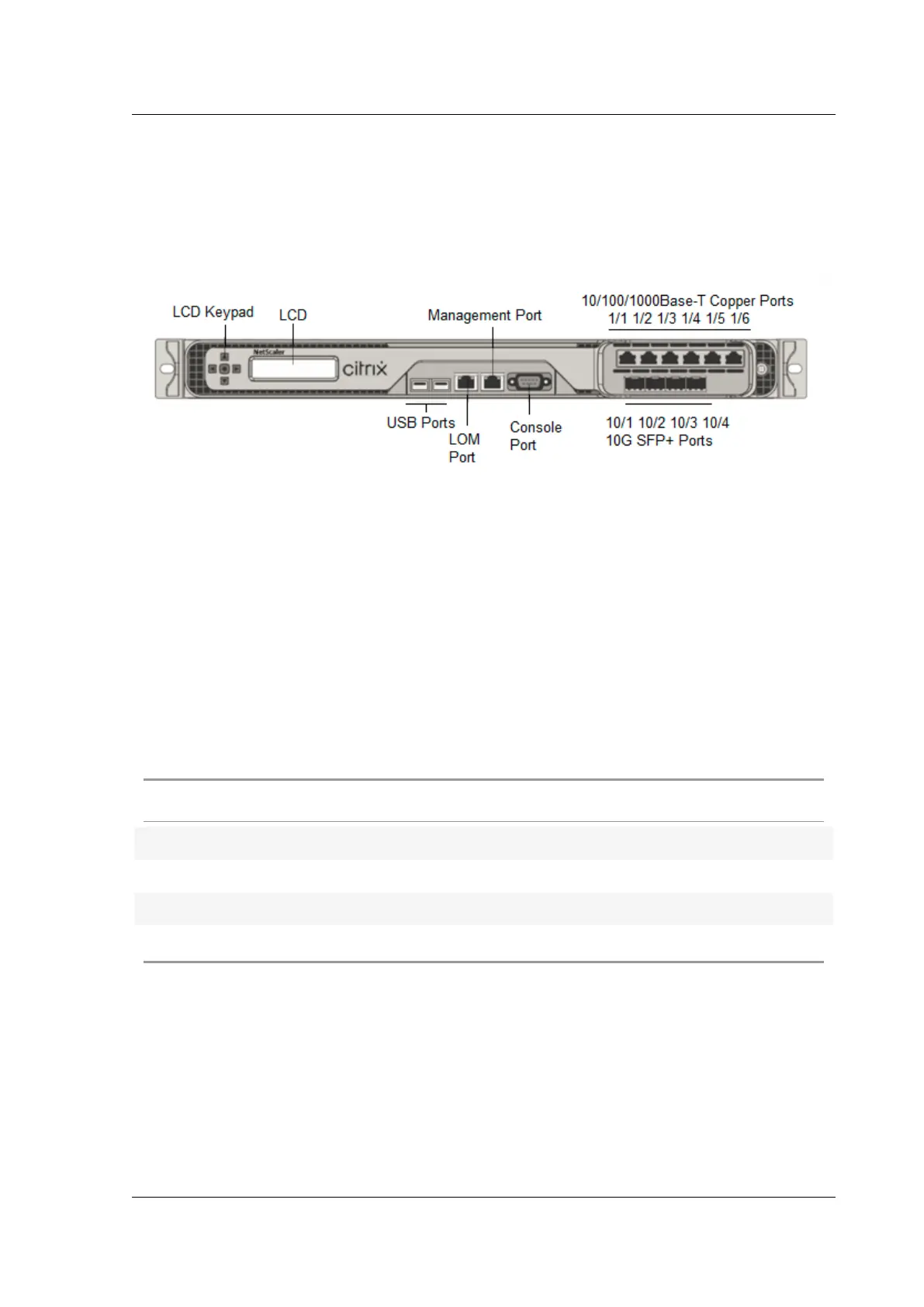
The following figure shows the front panel of the MPX 8900 series appliances.
Figure 1. Citrix ADC MPX 8900, front panel
The Citrix ADC MPX 8900 series appliances have the following ports:
• RS232 serial Console Port.
• One 10/100/1000Base-T RJ45 copper Ethernet LOM Port. Use this port to remotely monitor and
manage the appliance independently of the Citrix ADC soware.
• One 10/100/1000Base-T RJ45 copper Ethernet Management Port, numbered 0/1. This port is
used to connect directly to the appliance for Citrix ADC administration functions.
• Six 10/100/1000Base-T RJ45 copper Ethernet Ports, numbered 1/1 to 1/6 from le to right.
• Four 10G/1G SFP+ Ethernet Ports, numbered 10/1 to 10/4 from le to right.
• USB port (reserved for a future release).
The following table indicates the LED status for the Management and LOM ports:
LED Color LED Indicates
OFF No connection or 10 Mbps speed
Flashing YELLOW Active
Flashing GREEN 100 Mbps speed
AMBER 1 Gbps speed
The following figure shows the back panel of the MPX 8900 appliance.
Figure 2. Citrix ADC MPX 8900, back panel
© 1999‒2022 Citrix Systems, Inc. All rights reserved. 37



 To Next Page
 Loading...
