EasyManua.ls Logo

Clarion M505 - User Manual

Clarion M505
27 pages
Print Icon
To Next Page IconTo Next Page
Loading...
Owner's manual
&
Installation manual
.
M505
·
M205
MARINE
Bluetooth®
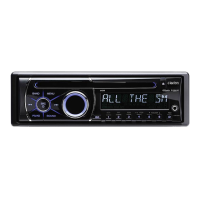
USB/MP3/WMA RECEIVER

Other manuals for Clarion M505

Questions and Answers

  • L
    Larry ColemanSep 15, 2025
    What to do if USB device cannot be inserted into Clarion M505?
    • W
      williamcastilloSep 15, 2025
      If you cannot insert a USB device into your Clarion Car Receiver, the USB device may have been inserted incorrectly. Reverse the connection direction and try again. If the USB connector is broken, replace it with a new USB device.
  • L
    Lindsey DavidsonAug 25, 2025
    Why is the Bluetooth reception poor on my Clarion Receiver?
    • C
      Courtney BlanchardAug 25, 2025
      Move the device closer to the audio system or remove any obstacle between the device and the system.
  • B
    Bryan StricklandAug 25, 2025
    Why does my Clarion M505 reset itself when the engine is off?
    • M
      Matthew WrightAug 26, 2025
      If your Clarion Car Receiver resets itself when the engine is off, there may be an incorrect connection between ACC and Battery. Check the wiring and correct it.
  • E
    Eric PhillipsAug 26, 2025
    Why is there no audio or low audio output from my Clarion Receiver?
    • E
      Erica GregoryAug 27, 2025
      There could be several reasons for low or no audio output from your Clarion Receiver: * The audio output connection may be improperly connected: Check the wiring and correct it. * The volume might be set too low: Increase the volume level. * The speakers could be damaged: Replace the speakers. * The volume balance could be heavily biased: Adjust the channel balance to the center position. * Speaker wiring might be in contact with the car's metal parts: Insulate all speaker wiring connections.
  • S
    stephanie33Sep 16, 2025
    What does 'SUBSCRIPTN UPDATED' mean on my Clarion M505 Car Receiver?
    • R
      reedrandySep 16, 2025
      If your Clarion Car Receiver displays 'SUBSCRIPTN UPDATED', an update to your SiriusXM subscription has been received by the SiriusXM tuner. Press any button to continue.
  • A
    Andrew JonesSep 23, 2025
    What does 'CH UNAVAIL' mean on my Clarion M505 Car Receiver?
    • C
      Christopher DoyleSep 23, 2025
      If your Clarion Car Receiver displays 'CH UNAVAIL', the channel is not a valid SiriusXM channel. The channel number may have been entered incorrectly, or the channel was removed from the SiriusXM channel lineup.
  • M
    millerjeffreySep 7, 2025
    What does 'SUBSCRIPTN UPDATED' mean on my Clarion Receiver?
    • B
      Breanna BennettSep 7, 2025
      The message 'SUBSCRIPTN UPDATED' on your Clarion Receiver indicates that an update to your SiriusXM subscription has been received by the SiriusXM tuner. Press any button to continue.
  • K
    Kimberly DanielsSep 8, 2025
    What to do if my Clarion M505 displays 'NO SIGNAL'?
    • C
      Christopher WheelerSep 9, 2025
      If your Clarion Car Receiver displays 'NO SIGNAL', ensure your vessel is outside with a clear view of the southern sky. The magnetic antenna should be mounted on the vessel's exterior for optimal reception.
  • K
    Katrina WaltersSep 2, 2025
    Why is my USB device not recognized by my Clarion Receiver?
    • W
      Warren KelleySep 2, 2025
      If your Clarion Receiver does not recognize the USB device, the USB device might be damaged. Disconnect the USB device and reconnect. If the device is still not recognized, try replacing it with a different USB device.
  • D
    Donna SimonAug 31, 2025
    Why does my Clarion Receiver display 'CHEK TUNER'?
    • M
      Michael ReyesAug 31, 2025
      The 'CHEK TUNER' message on your Clarion Receiver indicates a problem with the SiriusXM tuner connection. Check the SiriusXM tuner connection on the back of the unit to ensure it's correctly connected.

Summary

Precautions and Warnings

Safety Precautions

Essential safety advice and warnings for operation and handling.

Regulatory Compliance

FCC and Industry Canada compliance statements.

Controls and Operation

Operational Panel Overview

Diagram and explanation of the unit's front panel controls.

Button Functions

Detailed explanation of each button's operation and function.

Remote Control Usage

Remote Control Functions

Explains operations of various buttons on the remote control.

Basic Operations

System and Audio Menus

Radio Operation

Weather Band Operation

SiriusXM Satellite Radio

USB and AUX Operations

iPod;iPhone and Pandora Operation

Bluetooth Operation

Troubleshooting

General and USB Issues

Solutions for general unit problems and USB device recognition/playback issues.

SiriusXM Advisory Messages

Explanations of various advisory messages related to SiriusXM tuner and channels.

Bluetooth Connectivity Issues

Solutions for Bluetooth pairing and audio quality problems.

Specifications

Installation and Wire Connection

Installation Preparation and Cautions

Precautions before starting, general cautions, and site considerations for installation.

Installing the Source Unit

Step-by-step guide for mounting and securing the main unit.

Installation Details

Unit Mounting Methods

Details on installing the unit using mounting brackets or frames.

Wire Connection Guide

Component Connections

Detailed connections for Antenna, Wired Remote, SiriusXM, Steering Wheel Controls, and main power/speaker leads.

System Diagram

System Configuration Diagram

Clarion M505 Specifications

General IconGeneral
BrandClarion
ModelM505
CategoryCar Receiver
LanguageEnglish

Related product manuals