EasyManua.ls Logo

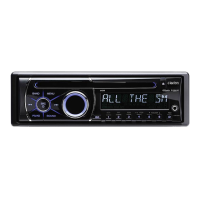
Clarion M505 - User Manual

Clarion M505
27 pages
Print Icon
To Next Page IconTo Next Page
Loading...
Owner's manual
&
Installation manual
.
M505
•·
M205
MARINE
Bluetooth®
USB/MP3/WMA RECEIVER

Other manuals for Clarion M505

Questions and Answers

  • E
    Eric PhillipsAug 26, 2025
    Why is there no audio or low audio output from my Clarion Receiver?
    • E
      Erica GregoryAug 27, 2025
      There could be several reasons for low or no audio output from your Clarion Receiver: * The audio output connection may be improperly connected: Check the wiring and correct it. * The volume might be set too low: Increase the volume level. * The speakers could be damaged: Replace the speakers. * The volume balance could be heavily biased: Adjust the channel balance to the center position. * Speaker wiring might be in contact with the car's metal parts: Insulate all speaker wiring connections.
  • B
    Bryan StricklandAug 25, 2025
    Why does my Clarion M505 reset itself when the engine is off?
    • M
      Matthew WrightAug 26, 2025
      If your Clarion Car Receiver resets itself when the engine is off, there may be an incorrect connection between ACC and Battery. Check the wiring and correct it.
  • L
    Lindsey DavidsonAug 25, 2025
    Why is the Bluetooth reception poor on my Clarion Receiver?
    • C
      Courtney BlanchardAug 25, 2025
      Move the device closer to the audio system or remove any obstacle between the device and the system.

Summary

Precautions and Warnings

Safety Precautions

Essential safety advice and warnings for operation and handling.

Regulatory Compliance

FCC and Industry Canada compliance statements.

Controls and Operation

Operational Panel Overview

Diagram and explanation of the unit's front panel controls.

Button Functions

Detailed explanation of each button's operation and function.

Remote Control Usage

Remote Control Functions

Explains operations of various buttons on the remote control.

Basic Operations

System and Audio Menus

Radio Operation

Weather Band Operation

SiriusXM Satellite Radio

USB and AUX Operations

iPod;iPhone and Pandora Operation

Bluetooth Operation

Troubleshooting

General and USB Issues

Solutions for general unit problems and USB device recognition/playback issues.

SiriusXM Advisory Messages

Explanations of various advisory messages related to SiriusXM tuner and channels.

Bluetooth Connectivity Issues

Solutions for Bluetooth pairing and audio quality problems.

Specifications

Installation and Wire Connection

Installation Preparation and Cautions

Precautions before starting, general cautions, and site considerations for installation.

Installing the Source Unit

Step-by-step guide for mounting and securing the main unit.

Installation Details

Unit Mounting Methods

Details on installing the unit using mounting brackets or frames.

Wire Connection Guide

Component Connections

Detailed connections for Antenna, Wired Remote, SiriusXM, Steering Wheel Controls, and main power/speaker leads.

System Diagram

System Configuration Diagram

Clarion M505 Specifications

General IconGeneral
BrandClarion
ModelM505
CategoryCar Receiver
LanguageEnglish

Related product manuals