C A R E AND MA INT E NANC E
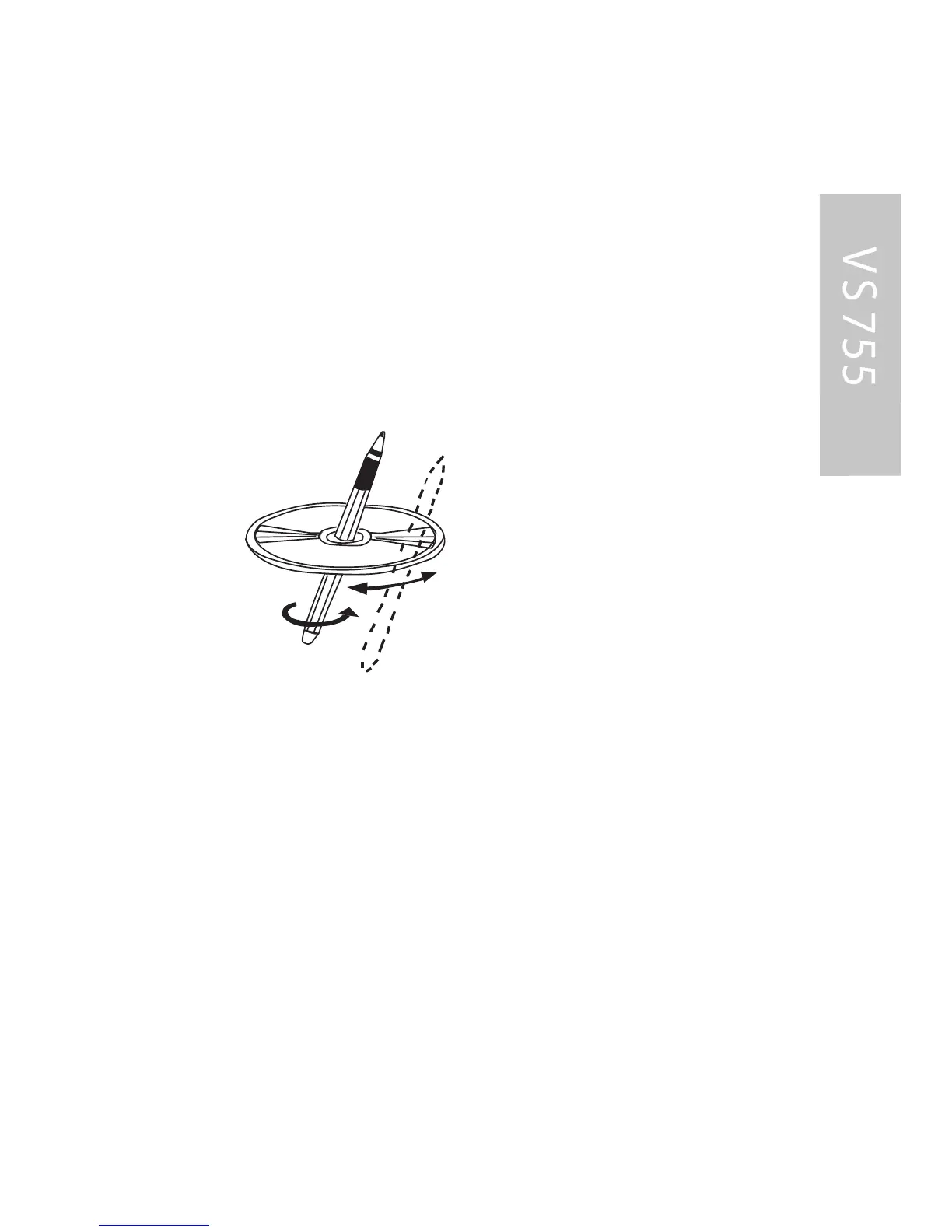
P reparing a New Dis c
New disc may have some roughness around the edge. T he DVD
player may not work properly or the video/sound reproduction
may skip if such discs are used. Us e a ballpoint pen or pencil to
remove roughnes s from the edges of the disc.
NOTE :
NE VE R US E A K NIF E OR A S HA R P OB J E C T TO R E MOVE
THE R OUG HNE S S AR OUND T HE E DG E S Y OU MAY HA R M
Y OUR S E L F OR THE DIS C !
S ervicing the VS 755 DVD P layer in the event a problem arises
with the VS 755, do not attempt to disassemble or repair the
monitor yourself. Opening or attempting to service the monitor will
void the warranty; instead, contact a local C larion dealer for
assistance. T he internal parts are not serviceable by the user. T he
VS 755 is a class I laser product, us ing a laser which could cause
hazardous radiation exposure if improperly disassembled. All
warranty service should be performed by an authorized C larion
service center.
C A UTION!
C hanges or modifications to this product not approved by the
manufacturer will void the warranty and will violate F C C approval.



 To Next Page