ADVA NC E D OP E R AT ION
J P E G image C Ds
The DV D player supports the display of J P E G images.
E nsure that the J P E G images have a file format des ignation .jpg.
J P E G image C D playback
- Insert a disc with J P E G images in the player.
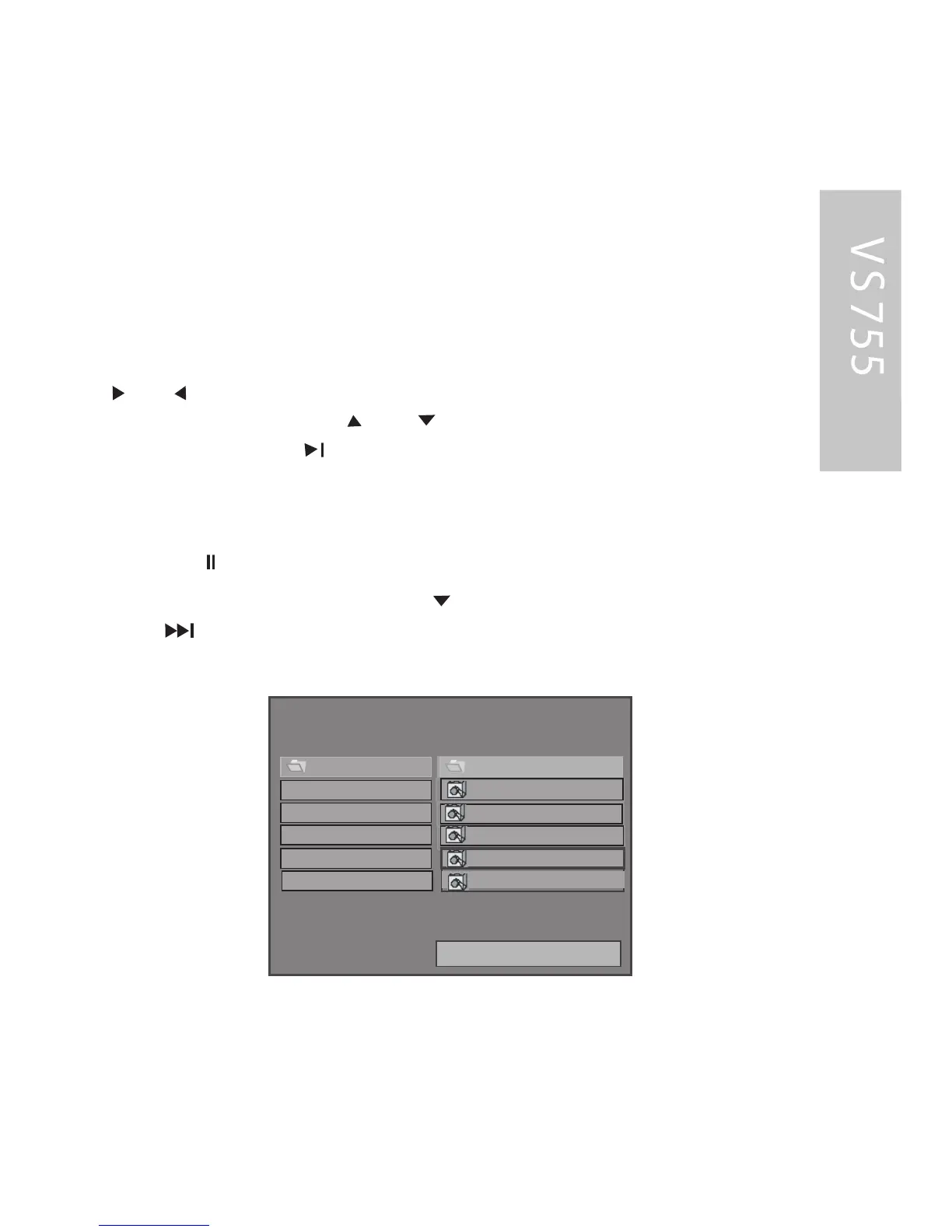
- T he navigation menu appears on the display as follows:
In S TOP mode:
- You can switch between the left and right-hand columns using the
and buttons. You can select the desired file or the
desired directory using the and buttons .
- P ress the E NT E R or button in order to start a slide show,
beginning with the selected file.
- All the images in the current directory are displayed in sequence for
approx. 5 s econds each.
- P ress the button in order to pause or resume the slide
F or the same folder, you can press to go to the next image,
press for the paginal display (next page).
show.
0
1
SSS MMMAAARRR TTT NNNAAAVVVIII
3
R OOT
2
DSC 04050001
DSC 04050003
DSC 04050002
DSC 04050004
DSC 04050005
RE PE AT OF F
4
5



 To Next Page