INS TAL L AT ION
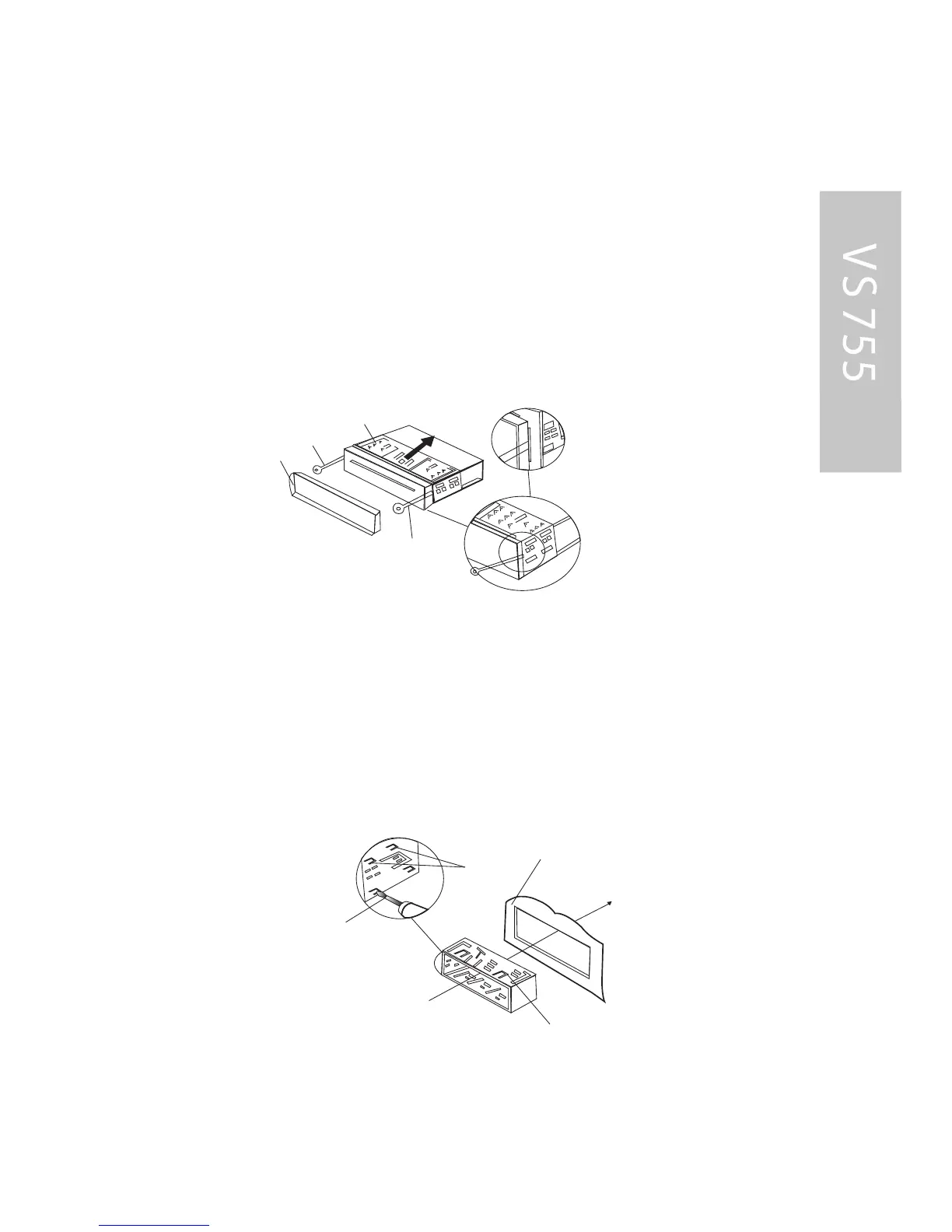
5. Mount the sleeve by inserting the sleeve into the
opening of the dashboard and bend open the tabs
located around the sleeve with a screwdriver. Not all tabs
will be able to make contact, s o examine which ones will
be most effective. B ending open the appropriate tabs
behind the dashboard to s ecure the sleeve in place.
6. R econnect the wire harness and the antenna and be
careful not to pinch any wires or cables.
7. S lide the unit into the sleeve until it locks into place.
Outer Trim Ring
L key
Sleeve
R key
Sleeve
Screwdriver
Tabs
Dashboard



 To Next Page