51
Section 4. Operating the Display
Icons
Icons
Name Description Icon
Brake Pedal
Position
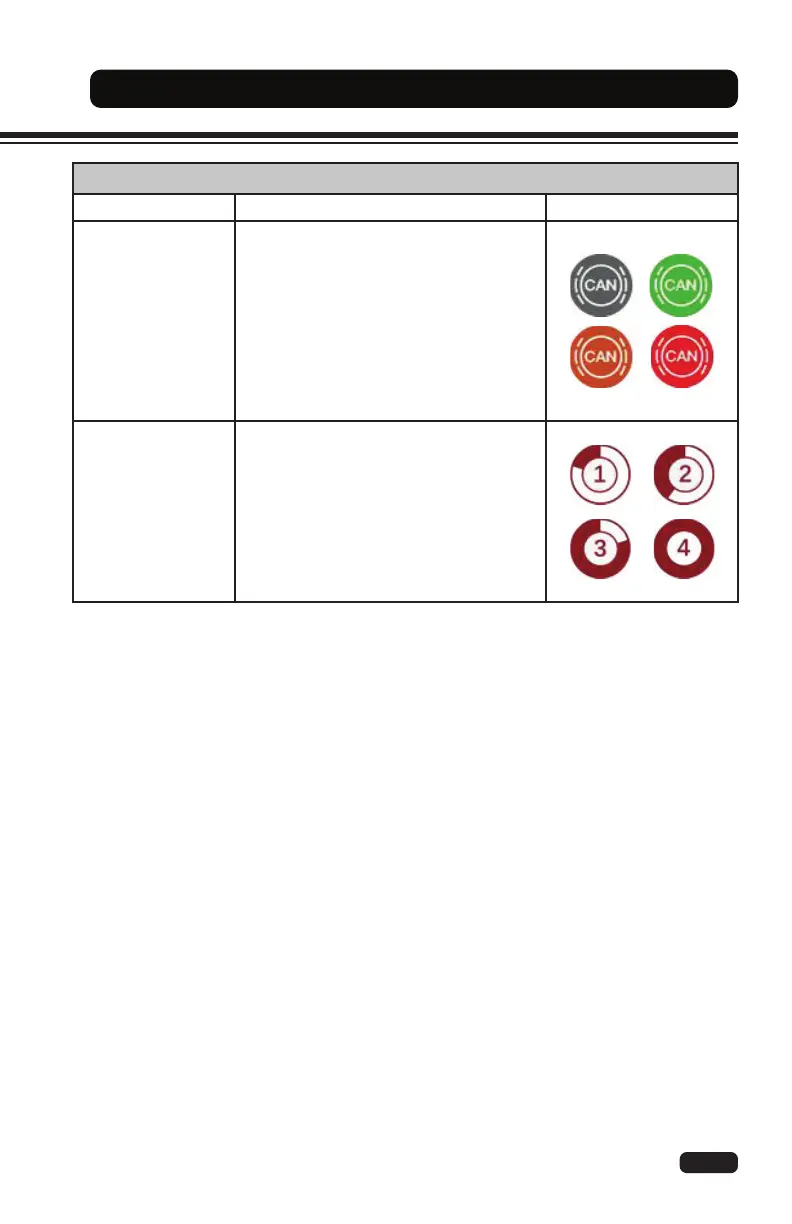
The brake pedal position icon shows the
position (not engaged to fully engaged)
when the operator presses on the brake
pedal.
Grey: no braking amount applied
Green: low braking amount applied
Orange: medium brake amount applied
Red: high brake amount applied
Hydraulic Speed
The hydraulic speed icons show the
speed level for each hydraulic function.
1: Lift / Lower
2: Tilt
3: Auxiliary 3
rd
Function (side shift)
4: Auxiliary 4
th
Function (fork positioner)


 To Next Page