52
Menu
Menu
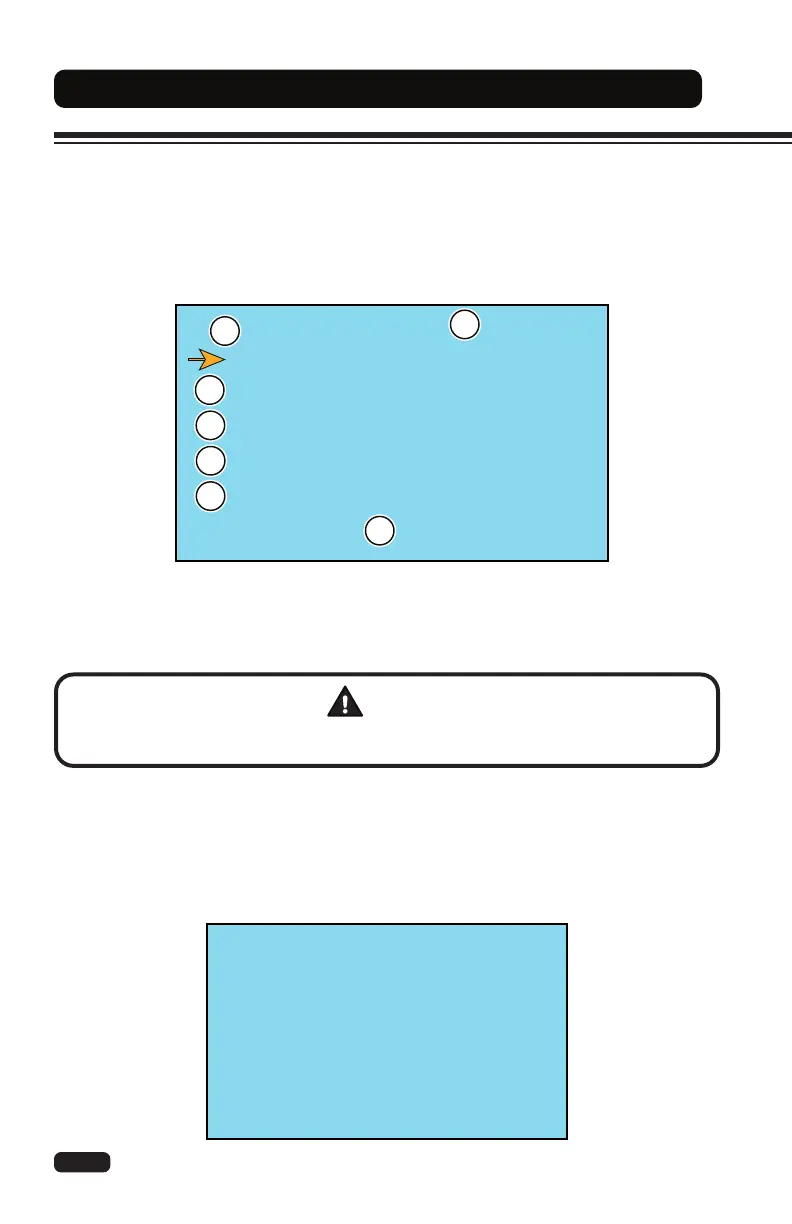
Node List
DISPLAY EP 5.4 [2710098014]
A0MR2BCPTVEP1. 11 48V 320A TraR
A0ML2BCPTVEP1. 11 48V 320A TraL
A0MP2BCPTVEP1. 11 48V 320A Pump
EPSDC0S EP0. 08 48V 045A EPS
BMS Management
1
2
3
4
5
6
7
_ _ _ _ _
ENTER PASSWORD
Menu Description
The display menu is intended for use by a certied lift truck technician only. It allows the
technician to view and adjust controller settings, view and clear controller errors, enable or
disable lift truck options, and teach or learn sensors. The controller submenus are structured
similar to the ZAPI
®
Smart Console (CLARK Part No.8118502) diagnostic handset and can
perform the same functions. A password is required to enter this menu.
1. Current Selection
2. Display Menu
3. Traction Controller (right)
4. Traction Controller (left)
5. Pump Controller
6. Steer Controller (EPS)
7. Battery Management System (BMS)
Entering the Menu
• Press the ENTER button twice (2x) to show the password screen.
• Type the correct password using the 1 through 5 buttons.
• Enter the menu.
WARNING
If a service alarm (controller error) occurs, immediately stop operation of the lift truck and
contact your supervisor or CLARK dealer. Do not operate a faulty or damaged lift truck.


 To Next Page