53
Section 4. Operating the Display
Menu
Main Menu Descriptions
Name Description View
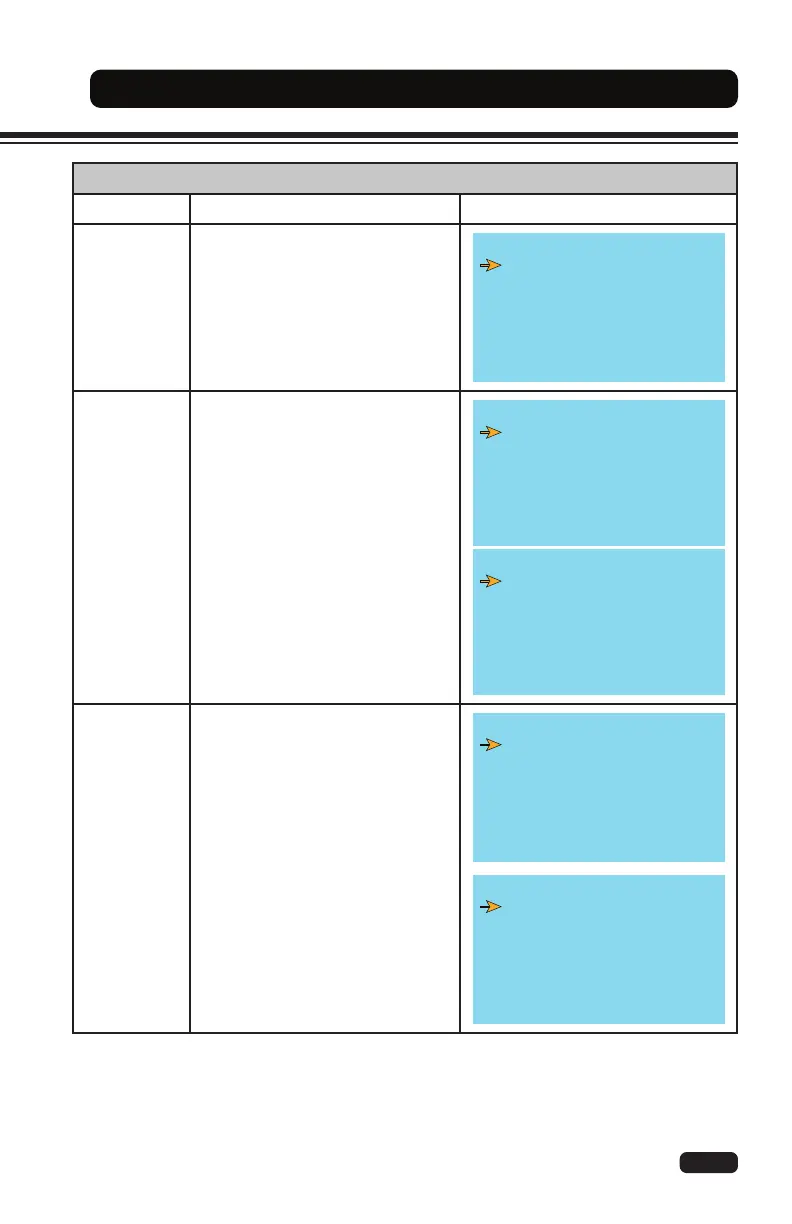
Display
The display menu allows for a
technician to adjust dash display
and other operating features.
Refer to the Service Manual for
additional information.
DISPLAY EP 5.4 >>
Parameter Set
Record
Set Password
Traction
Controller
(Right)
The traction controller menu allows
the technician to adjust settings,
enable and disable options, teach
(learn) sensors, and view real-time
readings related to the traction
motor and controller.
Refer to the Service Manual for
additional information.
A0MR2BCPTVEP1.11 >>
Parameter Change
Set Options
Set Model
Adjustment
Special Adjust
Hardware Setting
Program VACC
A0MR2BCPTVEP1.11 >>
Alarm
Clear EEPROM
Traction
Controller
(Left)
The traction controller menu allows
the technician to adjust settings,
enable and disable options, teach
(learn) sensors, and view real-time
readings related to the traction
motor and controller.
Refer to the Service Manual for
additional information.
A0ML2BCPTVEP1.11 >>
Parameter Change
Set Options
Set Model
Adjustment
Special Adjust
Hardware Setting
Program VACC
Tester
A0ML2BCPTVEP1.11 >>
Alarm
Clear EEPROM


 To Next Page