5.3
Operating Procedures
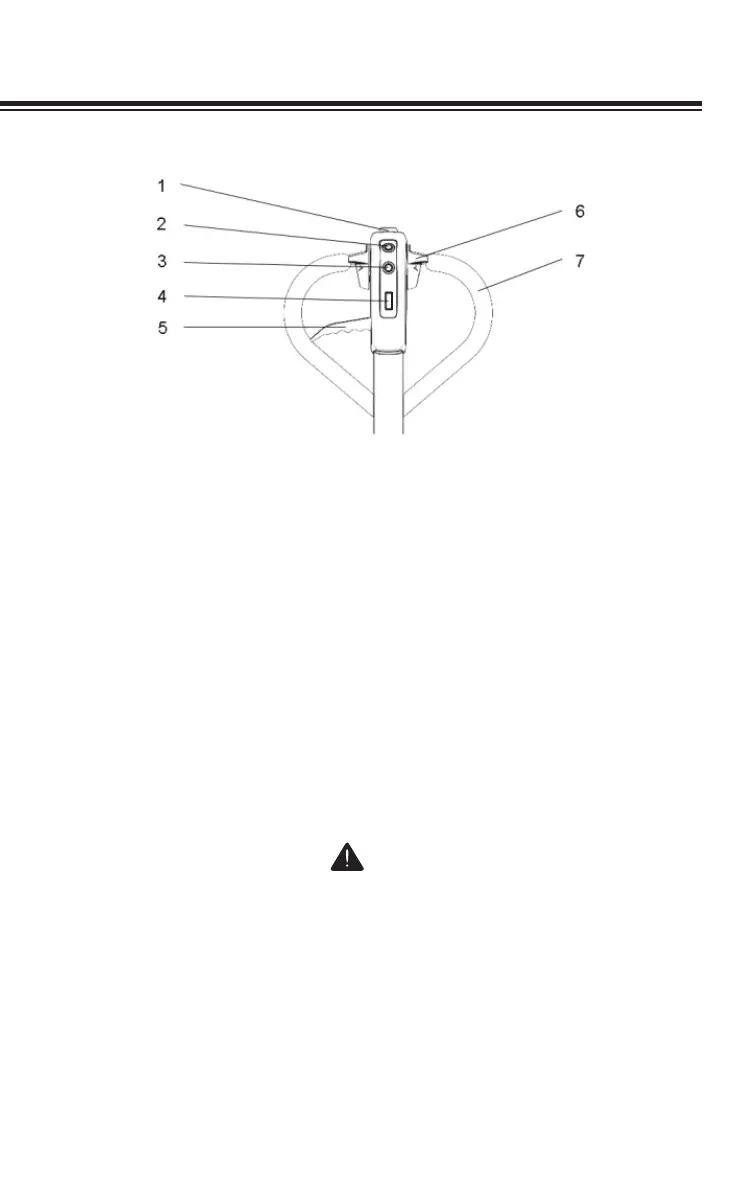
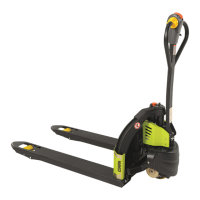
1. Emergency Reverse Button
2. Horn
3. Lift Switch
4. Electronic Display
5. Lower Lever
6. Direction/Speed Control
7. Handle
Controls
1. Emergency Reverse Button (Belly Button)
When the emergency reverse button strikes an object or a person, or
is held in by the operator, the truck automatically propels itself in the
"reverse" direction for 3 seconds (reverse is dened as the direction
in which the forks point).
CAUTION
Be careful not to activate Emergency Reversal Switch when
pulling down the handle from the parked position.
2. Horn
This switch is used to sound a warning.


 To Next Page