4-4
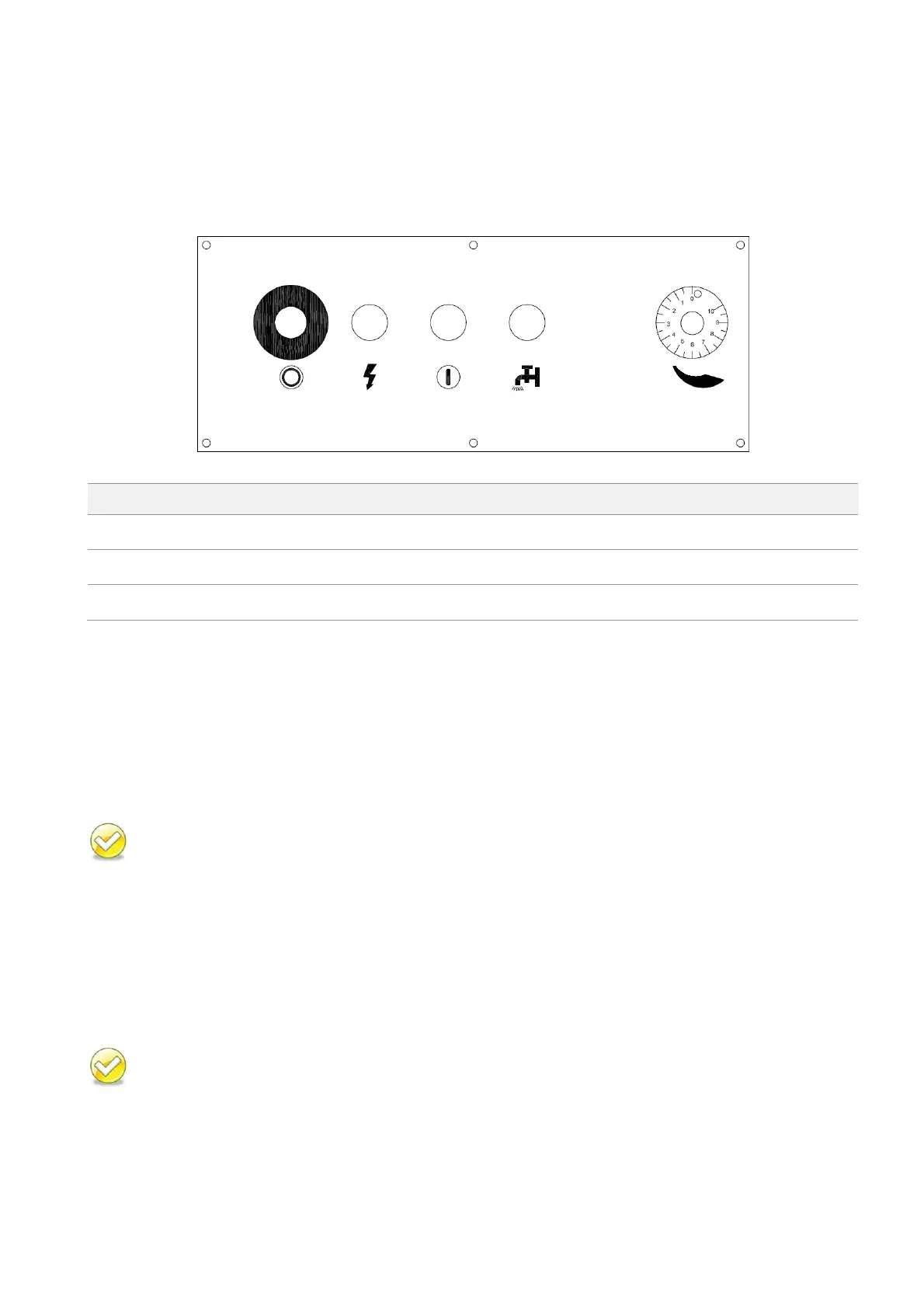
CONTROL PANEL (MS1318M)
The control panel is located on the top of the electrical box. It includes the following function: power
system, hydraulic system, cooling system and the light system. The operator must fully understand
the function of each switch and button before operating the machine.
Blade descend speed control knob
Control Buttons
1. Emergency stop button
Press this button to stop the machine in an emergency. When the button is pressed, it brings the
machine to a full stop. The button locks when pressed. In order to unlock it, please turn the button
clockwise.
Also serves as saw blade stop button.
2. Power indicator lamp
When the lamp is on, it indicates the power to the machine is turned on.
3. Saw blade start button
When the button is pressed, the saw blade starts to cut.
Press emergency stop button to stop the blade.
MS1318M / MS1318SA


 To Next Page