To allow web browsing, DNS lookup also needs to be allowed in order to resolve URLs into IP
addresses. The service http does not include the DNS protocol so a similar IP rule that allows this
is needed. This could be done with a single IP rule or IP policy that uses a custom service which
combines the HTTP and DNS protocols but the recommended method is to create an entirely
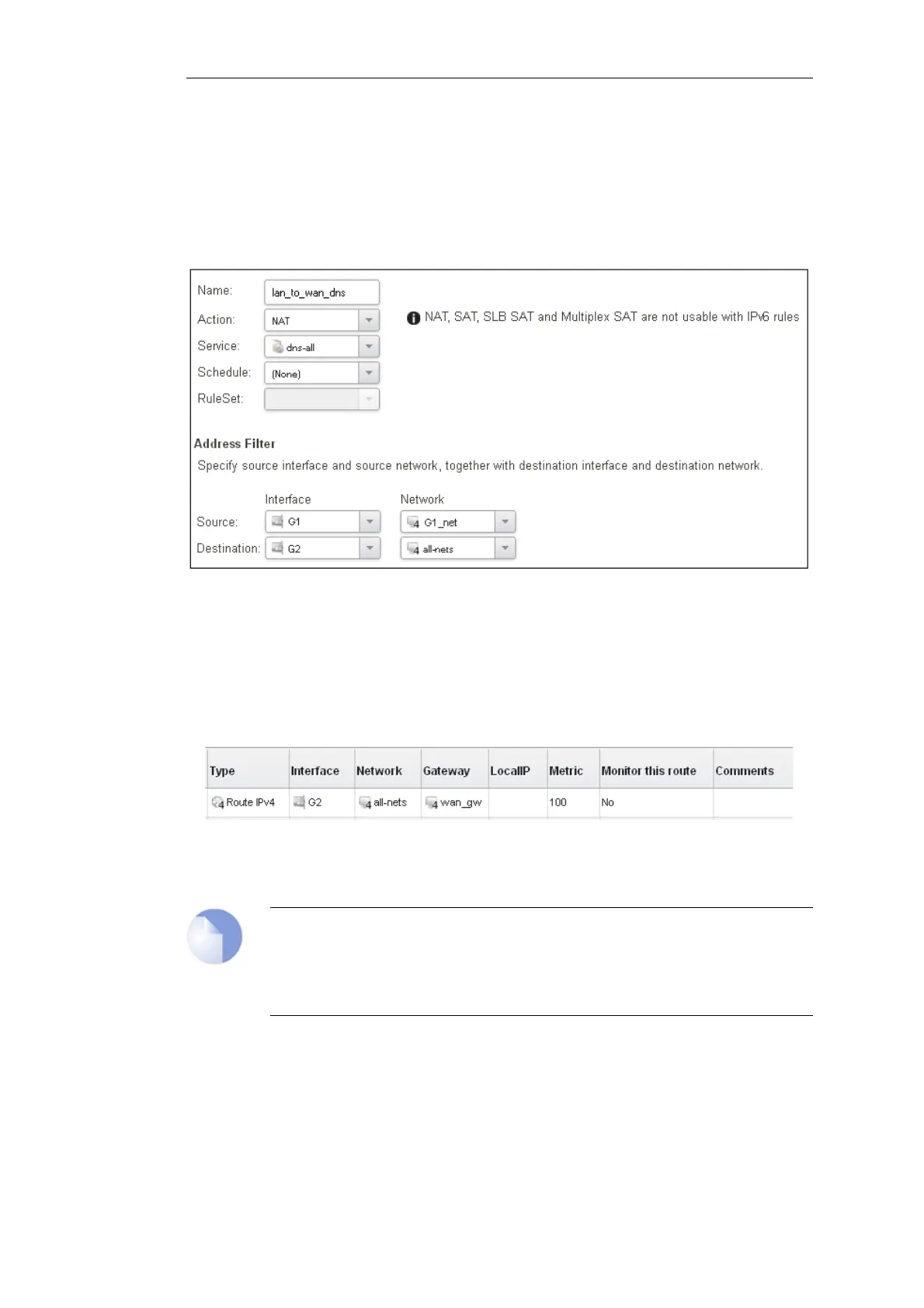
new IP rule that mirrors the above rule but specifies the service as dns-all. This method provides
the most clarity when the configuration is examined for any problems. The screenshot below
shows a new IP rule called lan_to_wan_dns being created to allow DNS.
Like the IP rule for HTTP, this rule also specifies that the action for DNS requests is NAT so all DNS
request traffic is sent out by cOS Core with the outgoing interface's IP address as the source IP.
For the Internet connection to work, a route also needs to be defined so that cOS Core knows on
which interface the web browsing traffic should leave the Clavister Security Gateway. This route
will define the interface where the network all-nets (in other words, any network) will be found. If
the default main routing table is opened by going to Network > Routing > Routing Tables >
main, the route needed should appear as shown below.
This required all-nets route is, in fact, added automatically after specifying the Default Gateway
for a particular Ethernet interface and this was done earlier when setting up the required IP4
Address objects.
Note: Disabling automatic route generation
Automatic route generation is enabled and disabled with the setting "Automatically
add a default route for this interface using the given default gateway" which can
be found in the properties of the interface.
As part of the setup, it is also recommended that at least one DNS server is also defined in cOS
Core. This DSN server or servers (a maximum of three can be configured) will be used when cOS
Core itself needs to resolve URLs which is the case when a URL is specified in a configuration
object instead of an IP address. It is also important for certificate handling
Let's assume an IPv4 address object called wan_dns1 has already been defined in the address
book and this is the address for the first DNS server. By choosing System > Device > DNS, the
Chapter 4: cOS Core Configuration
44



 To Next Page