23
16. Fitting & Changing the Filter
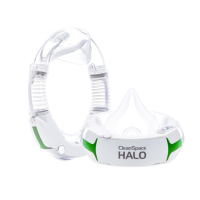
• Always change the filter outside of the contaminated area and with the respirator doffed.
• CleanSpace filters must NOT be cleaned. Cleaning the filter may cause damage.
• Used filters should be disposed of responsibly and treated as non-recyclable hazardous* waste (dependent on
the contaminant being filtered).
• Change the filter if it is damaged or there is suspected damage.
• Filters should be changed regularly. The frequency of filter replacement depends on several factors: period of
use, concentration of airborne contaminants, exertion levels and workplace protocols where hazards present a
risk for cross contamination (i.e. biohazards or asbestos).
WARNING
Do not use compressed air or a brush to clean the filter! HEPA filters are very easily damaged
by the use of compressed air or by brushing. Misuse of CleanSpace HALO by cleaning the
filter may result in overexposure to contaminants and lead to sickness or death.
BLOCKED FILTER ALARM
CleanSpace respirators have a Filter Blocked Alarm that triggers when the filter needs to be replaced. The Filter
Blocked Alarm is signalled by a red flashing LED on the keypad and an audible two (2) beeps, repeated every
second.
When exiting the contaminated area, the audible Filter Alarm can be muted by pressing the Power Button
once. The audible Filter Alarm will resume if
i) After 15 minutes the filter has not been changed, OR
ii) The device is switched on and redonned without the filter being changed.
WARNING
If the blocked filter alarm is triggered (2 beeps, repeated every second, red LED flashes), leave
the contaminated area immediately and replace the filter. Operating the respirator after the
blocked filter alarm has sounded can cause the flow to fall below the manufacturer’s minimum
designed flow, which may result in overexposure to contaminants and lead to sickness or
death.
WHEN TO CHANGE THE FILTER
Change the filter when
• The Blocked Filter Alarm triggers – audible (2 beeps per second) and visual (red flashing LED).
• The Flow Test indicates that the respirator is not able to produce the Minimum Design Flow.
• The filter is heavily soiled or wet.
• There is any sign of damage or suspected damage to the filter.
• The filter reaches its expiry date. The expiry date is marked on the filter label.
• There are signs of dust or contaminants on the inside surface of the filter.
A respirator with a clean filter will run for much longer than one with a filter that contains dust contaminants. To
maximise your work time between battery charges, change the filter often in high dust environments.
WHEN TO CHANGE THE EXHALATION FILTERS
CS3027 Exhalation Filter should be changed every time the BioHood is changed and also
• If there is a possibility that it has been splashed with contaminant.
• If there is a possibility that it has been exposed to organic solvents (for instance isopropanol, xylene or
toluene) as organic solvents will degrade its performance.
• Do not fit a filter if its expiry date (which is marked on the filter) has passed.
CS3039 Steri-Plus Exhalation Filter is single use only and cannot be cleaned. Dispose of responsibly after
use. Do not fit a filter if its expiry date (which is marked on the filter packaging) has passed.


 To Next Page