
 Need help?
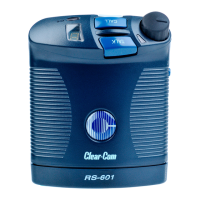
Do you have a question about the Clear-Com RS-601 and is the answer not in the manual?
Explains how to connect the beltpack to a computer for programming via V-Pack.
Details how to adjust the sidetone level for the user's own voice.
Explains customization using the V-Pack programming software.
Explains how to select one of the four pre-programmed operating modes.
Describes how to disable the latching function of the talk button.
Explains how to disable the talk button functionality for listen-only operation.
Details the function that sends a call signal when the talk button is pressed.
Explains how to set the beltpack for electret microphone operation.
Describes how to enable an audible call signal tone in the headset.
Explains how to select high or low gain for an electret microphone.
Lists common problems, their causes, and solutions for the beltpack.
 General
| Brand | Clear-Com |
|---|---|
| Model | RS-601 |
| Category | Intercom System |
| Language | English |




 To Next Page
