1100
Technical Support: 800-283-5936
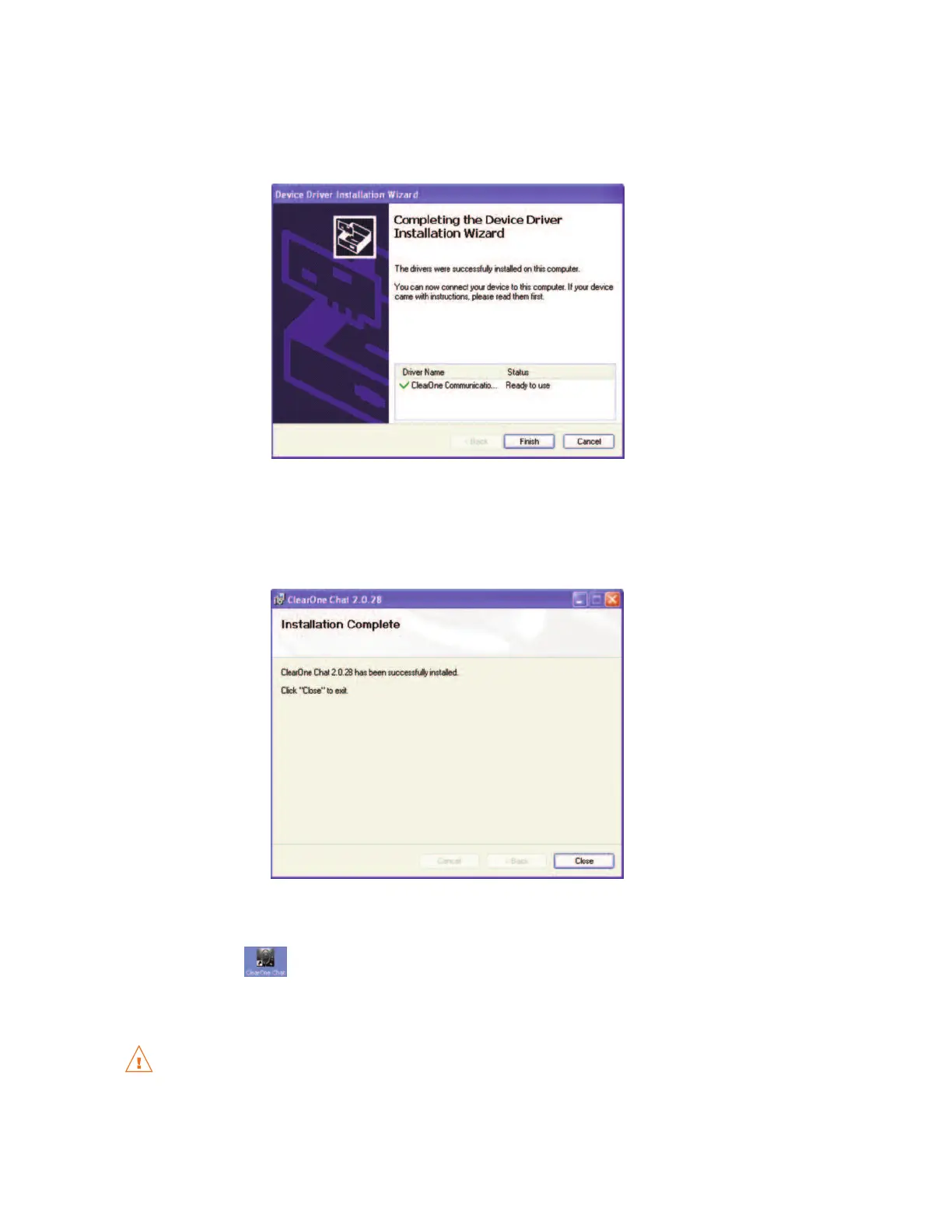
9. After the CHAT software device drivers are successfully installed, the
DDrriivveerr NNaammee
and
SSttaattuuss
appear in
the
DDeevviiccee DDrriivveerr IInnssttaallllaattiioonn WWiizzaarrdd
screen. Click
FFiinniisshh
to complete the installation.
10. The
IInnssttaallllaattiioonn CCoommpplleettee
screen appears. Click
CClloossee
to exit the CHAT installation program.
The CHAT software installation is complete. You can start the CHAT software by double-clicking on the
CClleeaarrOOnnee CCHHAATT
icon that is now on your Windows desktop, or through the Windows
SSttaarrtt
menu (
SSttaarrtt
>
AAllll PPrrooggrraammss >> CClleeaarrOOnnee CCoommmmuunniiccaattiioonnss >> CCHHAATT >> CClleeaarrOOnnee CCHHAATT
).
Before using the CHAT 60 for the first time, proceed with the audio settings configuration procedure.
This will ensure optimal sound quality for each device and application you plan to use with the CHAT
60.



 To Next Page