8 9
Using your ClevaPure™ Air Purifier
Manual Control
1. Switch on
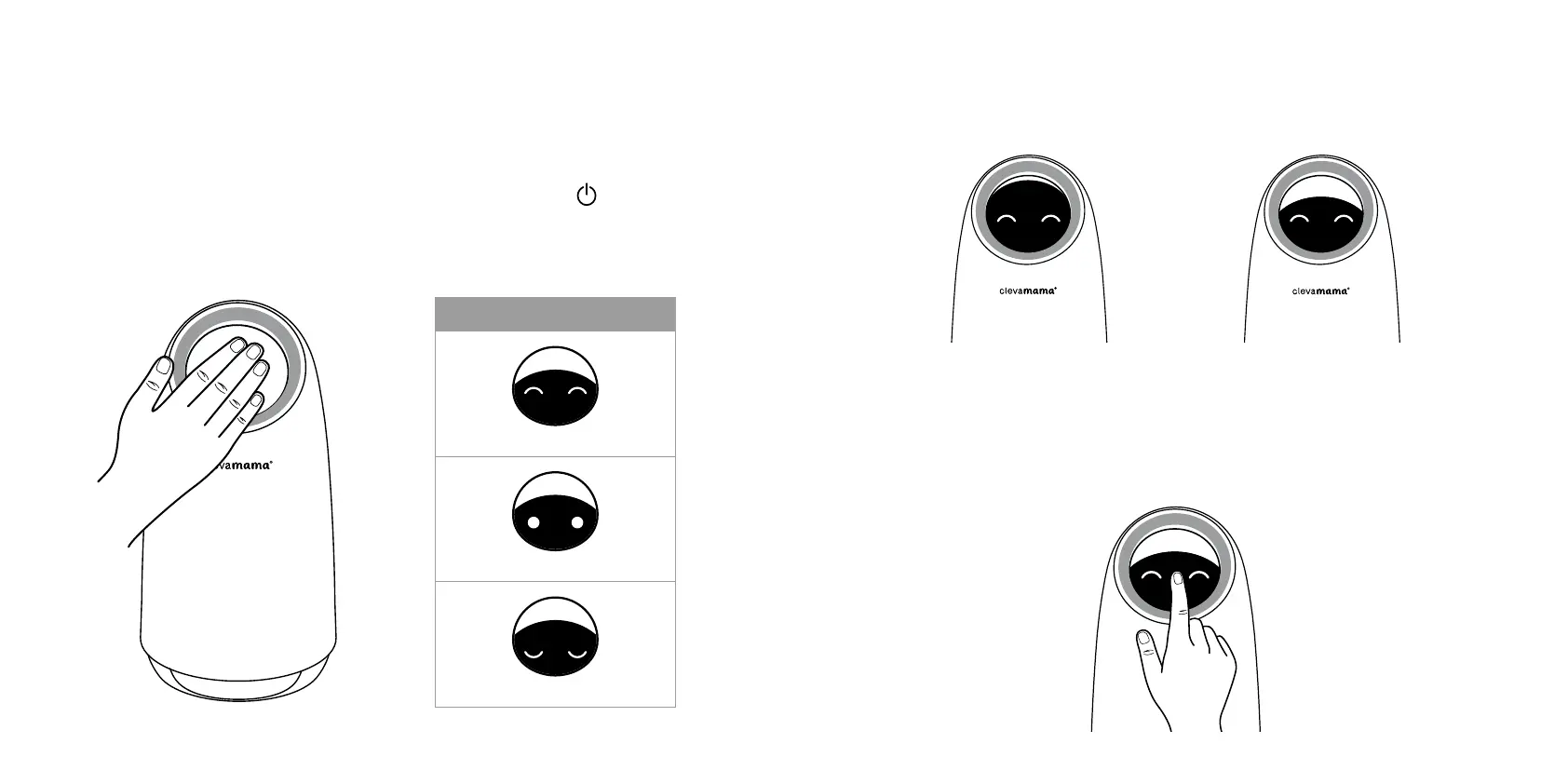
Plug in and switch on your air purifier by touching the power on buton
. The ClevaPure™
Air Purifier will beep and start automatically in auto mode and the display will show the air
quality according to the PM. detection value - refer to Air Quality Indicator Chart below.
2. Fan speed control
To control the fan speed of your ClevaPure™ Air Purifier manually move the head up (for
high speed) or down (for a lower speed) – refer to images below.
3. Switch of
To switch of the ClevaPure™ Air Purifier, touch the power of buton (between the eyes –
as per below). You can also switch on and of by moving the head up and down manually.
High fan speed
Low fan speed
Air quality indicator
Good air quality
Moderate air quality
Poor air quality



 To Next Page