10 11
Smartphone Control
To control the ClevaPure™ Air Purifier using the Smart Life App, please follow the
instructions below.
1. Download the Smart Life app
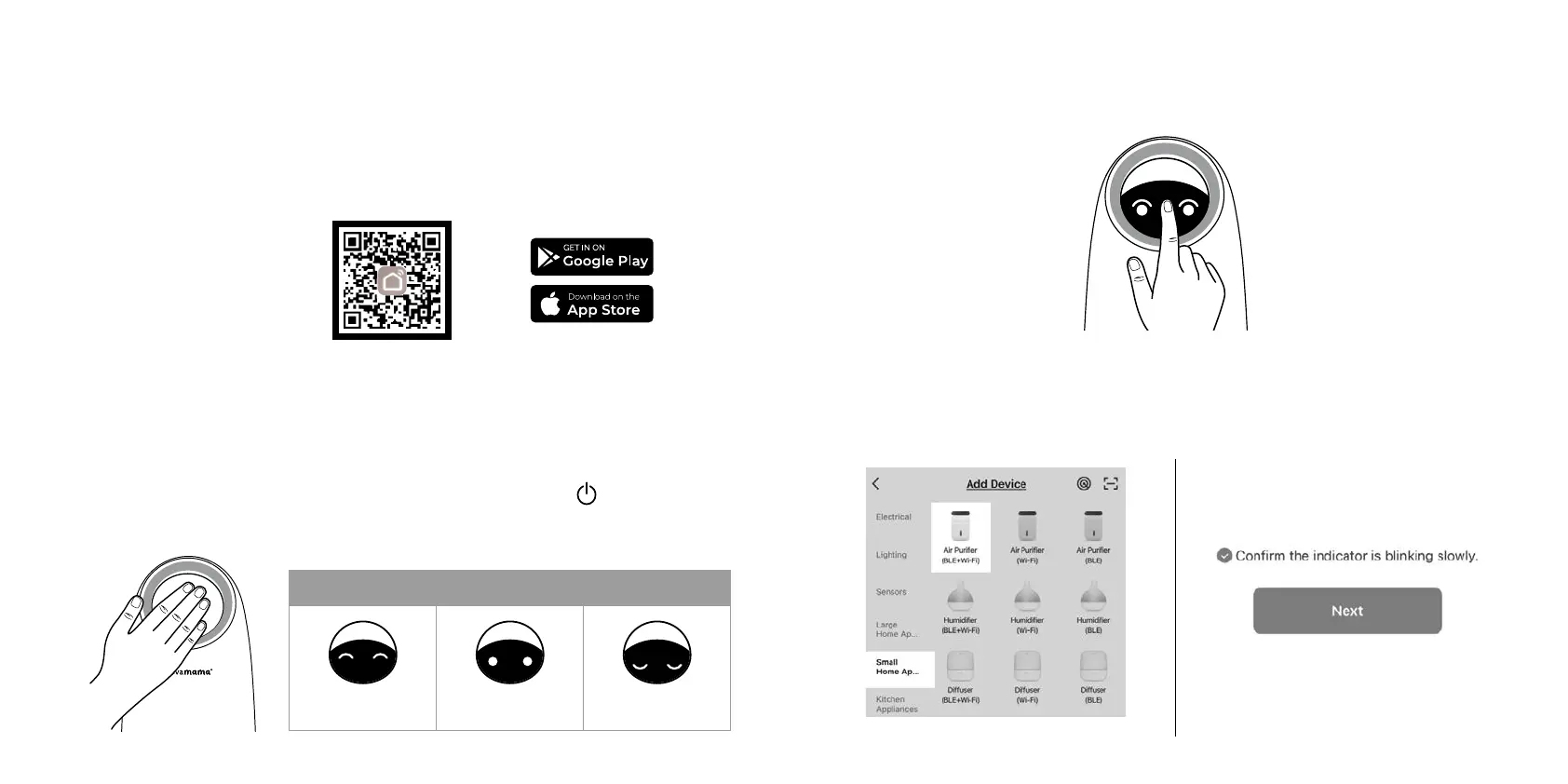
Scan the QR code below or search “Smart Life” in the Apple App Store or Google Play
Store.
2. Smart Life app setup
Open the Smart Life App. Log in or Sign up as per in-app instructions. Ensure your phone
has Wi-Fi and Bluetooth turned on and it`s connected to a Wi-Fi network.
3. Switch the ClevaPure™ Air Purifier on
Refer to Geting Started Guide to ensure you have removed all packaging from the filter
Plug in and switch on your air purifier by touching the power on buton . The ClevaPure™
Air Purifier will beep and start automatically in auto mode and the display will show the air
quality according to the PM. detection value. - refer to Air Quality Indicator Chart below.
4. Pairing mode
Press and hold the power of buton (between the eyes – as per below) for 5 seconds. The
air purifier will enter into pairing mode and its eyes will start flashing.
5. Add the device
a) On the app, under the menu “Small Home Appliances”, select Air Purifier (BLE+Wi-Fi).
Make sure the device is in pairing mode (eyes flashing) and confirm, click Next.
Air quality indicator
Good air quality
Moderate air quality Poor air quality


 To Next Page
 Loading...