14 15
Air Quality Indicator Chart
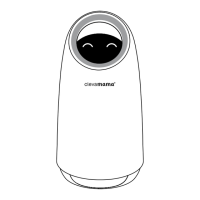
Your ClevaPure™ Air Purifier comes with a smart dust sensor, which adjusts the fan speed
automatically based on air quality (in auto mode). Mika, your air purifier companion, will
indicate your home air quality in real time as per below:
Care & Maintenance
• Always ensure the product is powered of and unplugged before cleaning and
maintenance.
• Do not immerse this product in water or any liquid.
• Do not use abrasive, corrosive or flammable cleaners (such as bleach or alcohol) to
clean any part of the unit.
• Do not wash the filter.
• Do not use a vacuum cleaner to clean the filter.
• Remove the filter and clean of any dust gathered on the outer surface of the filter.
• Use a sot cloth with a neutral cleaner to clean away any dust or debris from the surface
of the product and air inlet/outlet.
• Do not allow any water to enter the product when cleaning the air outlet.
Storage
• Switch of the product and unplug the power supply. Wind up the power cord.
• Remove the filter and clean of any dust gathered on the outer surface of the filter using
a sot cloth.
• Clean the air inlet/outlet and wipe the body of the product with a neutral detergent and a
sot cloth.
• Once the product is completely dry, place in a dust cover/bag and store it in a well-
ventilated place out of direct sunlight.
• If you are storing this product for a long time, please switch it on for a few minutes from
time to time to ensure it continues to function.
Air quality indicator
Good air quality Moderate air quality Poor air quality



 To Next Page
 Loading...