16 17
Replacing the Filter
When the replace filter indicator flashes (eyes flashing) or when a push notification is
received on the app, this means that the filter needs to be replaced. Please use the
original filter specifically designed to service the ClevaPure
TM
Air Purifier. Do not use any
filters from other brands.
Before replacing the filter, please ensure that the product is switched of. Remove the plug
from the power socket.
Note
• Please clean the dust from the filter regularly. The filter cannot be washed or reused.
• Before replacing the filter, always switch of the machine and unplug it from the power
socket.
• Do not clean the filter with a vacuum cleaner.
• Please place the filter in direct sunlight regularly to sterilize any bacteria.
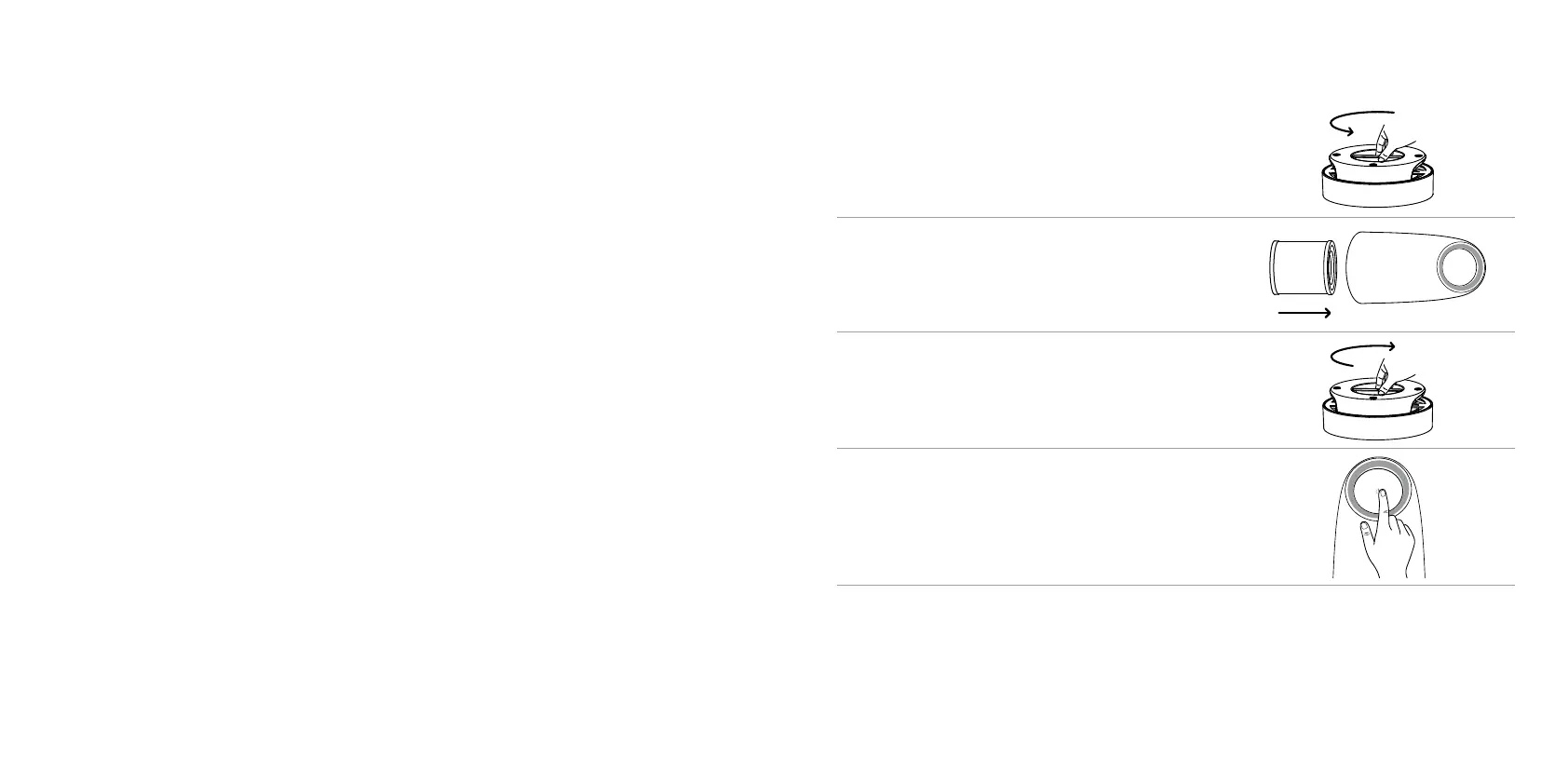
How to replace the filter
1. Switch of your air purifier and unplug it from
the power socket. Turn the unit upside-down
and open the botom cover, by using the
handle and turning it counter clockwise - in the
direction of open. Remove the old filter.
2. Remove all packaging from the new filter and
insert the filter with its hollow part facing
towards the air purifier vent.
3. Refasten the botom cover to the air purifier
holding its handle and rotating in clockwise -
the direction of “close” until you hear a “click”.
The cover should snap shut.
4. Ater replacing the filter, plug in the power
supply, switch the air purifier on and of and
hold down the ‘power on’ buton, for about
5 seconds. This will clear the replace filter
indicator and recalculate the remaining filter life.


 To Next Page
 Loading...