5
Troubleshooting Guide -
Tranquility
®
Digital (DXM2) Packaged Units
Rev.: 01/15/14
No
Use Emerson EZ
Tool to troubleshoot
motor and verify
motor or module
Yes
Replace wire
harness
No
Continued
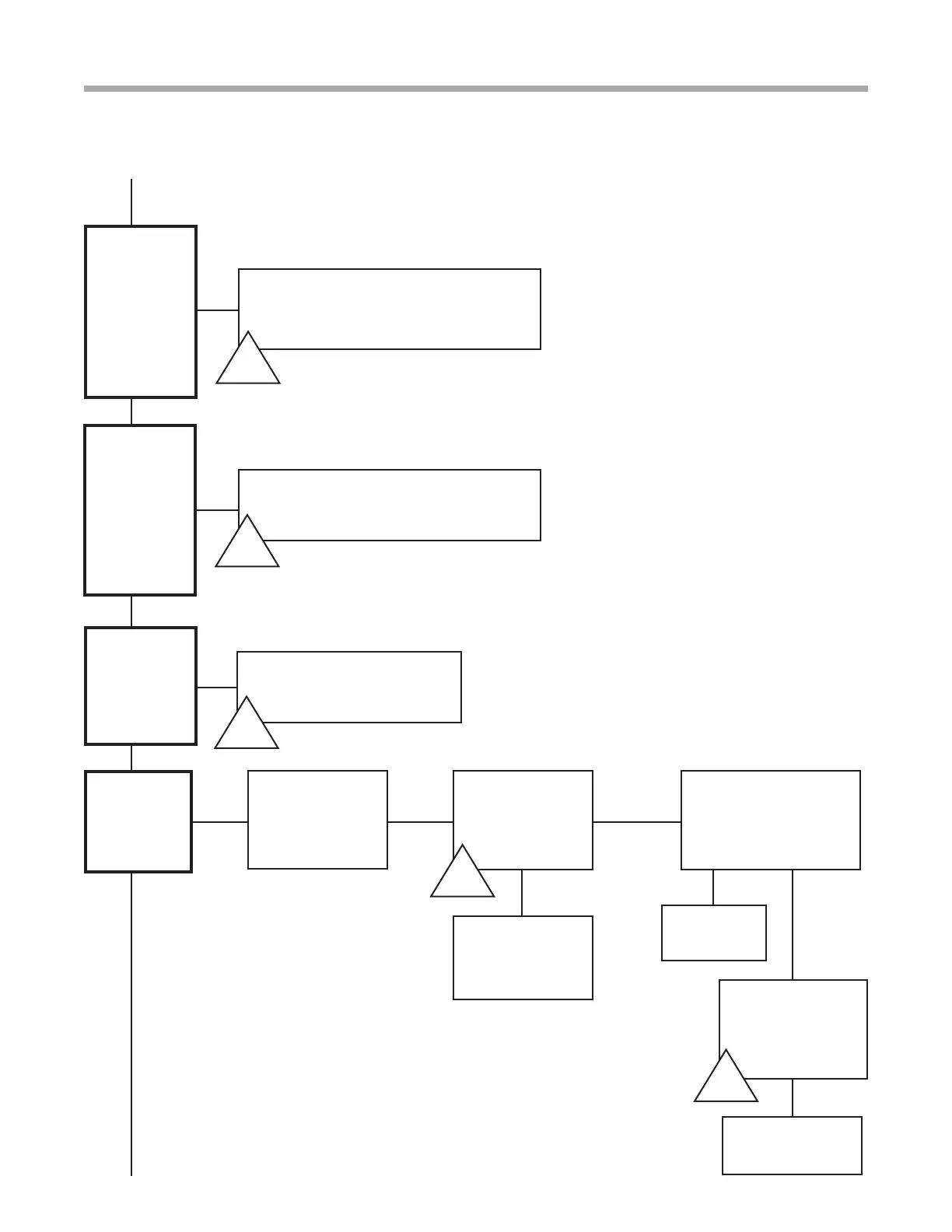
Troubleshooting Flow Chart
Verify in
confi guration
that the unit
is confi gured
correctly for ECM
Yes Yes
Check the
communicating harness
from DXM2 to Module.
Is there a broken wire?
No
Is 208-240V at the
blower motor?
Check the wire
harness and
replace if needed
Replace
defective part
Next Page
Does blower
turn on?
Verify that
the wiring on
the valve and
DXM2 Board
are correct.
See wiring
diagrams on
pages 53-54.
Valve does
function but
when the unit
shuts off, the
valve remains
open.
Verify that the DC voltage on DXM2
between A0-2 and GND. Voltage should
be between 3.3-10VDC. This is the output
from the board to the valve.
Verify on 3/4” Valve Dipswitch
and 1” Valve Dial
A-X
A-C
Yes
B-F
B-I
The unit uses
a modulating
valve but the
thermostat
continues
to show a
variable-
speed pump.
Connect a piece of thermostat wire
between T1 and C on DXM2 so the
DXM2 board sees no feedback.
B-J



 To Next Page