…it’sallabout listening
6.GENERALINFOandSETTINGS
Conventionsusedinthismanual
Button (press)Physicalbuttonontheremote
Option (select)Menuoptionshownonthedisplay
Name Menu,screenorothername
H2hasnumerousfeatureswhichrequireasmalldegreeofsetupbeforeusersareabletofullyuseallthe
functionalitiesoftheradio.TheMainMenuÆ
SystemSetupmenuhasaseriesofoptionsthatallowsystem‐
widesettingstobealtered.
Thesesettingsare:
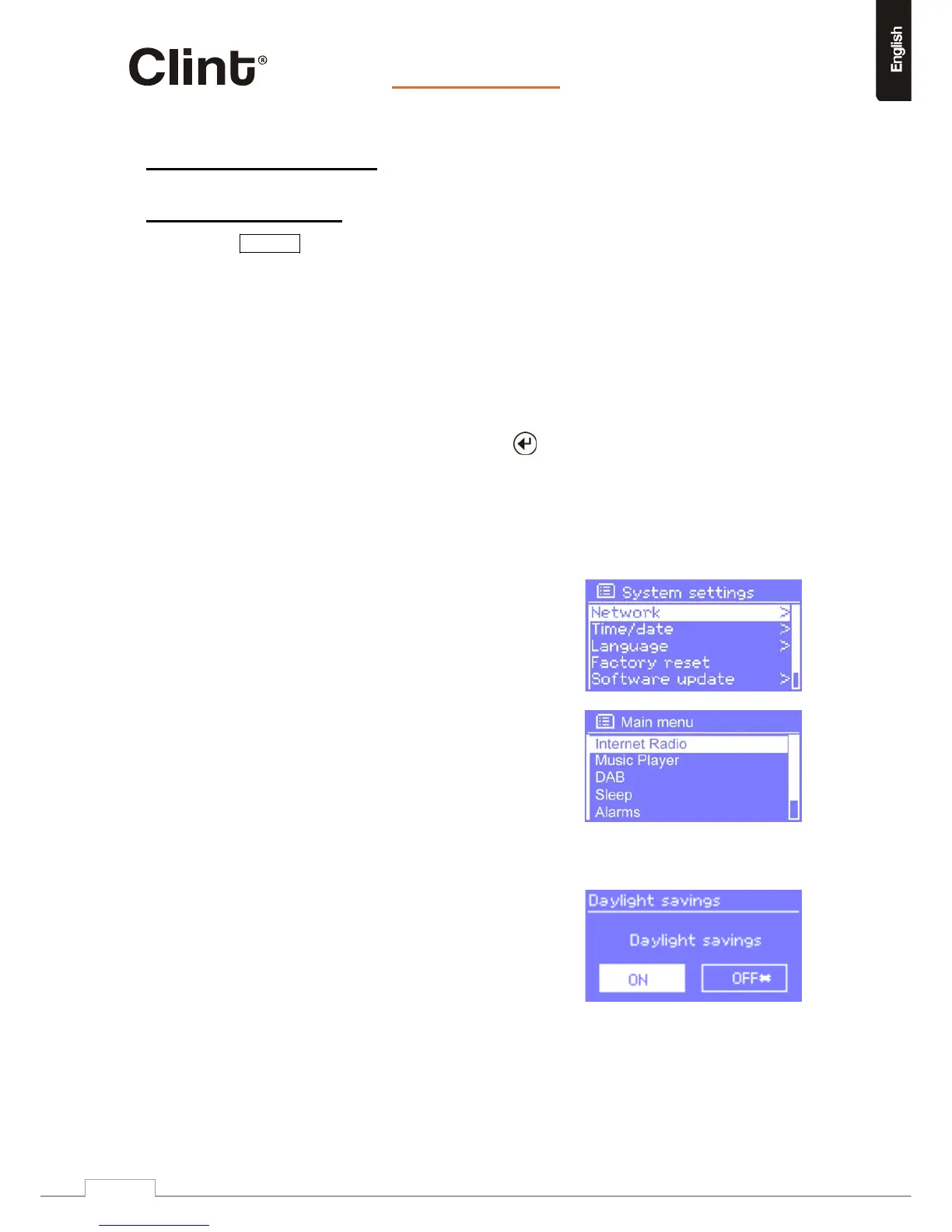
H2hasbasicallythreetypesofmenu.Usethe
controltostep
throughandselect
options.Ascrollbarontherightofthescreenshowsiftherearefurtheroptionsaboveor
belowthosevisible.
Inaddition,eachmodemenuhastwofinaloptions:
Systemsettings>andMainmenu>.The‘>’indicates
optionsleadingtofurthermenus.
TheSystemsettingsmenuallowsaccesstosystem
settingsandinformationsuchasnetwork,time,
languageandsoftwareupdate.
Menuswithmoreoptionsthanwillfitonone
screenhaveascrollbartotheright.
TheMainmenuallowsaccesstoallmodesplus
sleepandalarmfunctions.
Somemenus,forexampletheSystemsettingsmenu,haveseveralsubmenus.
Dialoguescreens
Dialoguescreensareshowntoallowtheuserto
changesettings.Theyvaryincomplexityfromsimple
Yes/Nooptionsuptothescrollablenetwork
passwordinputscreen.
Aswithmenus,theselecteditemisshownwitha
whitebackground.
Dialoguescreensmarkthecurrentsettingwithan
asterisk(*).
www.clintdigital.com
11



 To Next Page