…it’sallabout listening
11.3Nowplayinginformation
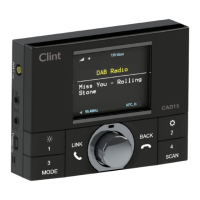
Whilethestreamisplaying,thescreenshowsitsnameandDLSinformationbroadcastbythe
stationsuchasprogrammename,tracktitleandcontactdetails.Stereobroadcastsare
indicatedwithaniconatthetopofthescreen.Toviewfurtherinformationaboutthestream,
pressInfo.
EachtimeyoupressInfo,anothersetofinformationisdisplayed,cyclingthroughDLS
information,programmetype,ensemblename/frequency,signalstrength/errorrate,bit
rate/codec/channelsandtoday’sdate.
11.4Settings
Dynamicrangecompression(DRC)
Ifyouarelisteningtomusicwithahighdynamicrangeinanoisyenvironment(forexample
classicalmusicwhilecooking),youmaywi shtocompressthedynamicrange.Thismakes
quietsoundslouder,andloudsoundsquieter.TochangeDRC,selectMenu>DRC>then
DRCoff,loworhigh.
Stationorder
Youcanchoosetheorde roftheDABstationlisttobeeitherAlphanumeric,EnsembleorValid.
Ensemblelistsgroupsofstationsthatarebroadcasttogetheronthesameensemble,for
exampleBBCorSouthWaleslocal.Validlistsvalidstationsfirst,alphanumerically,thenoff‐air
stations.
Tochangestationorder,selectMenu>Stationorder>thenAlphanumeric,EnsembleorValid.
www.clintdigital.com
25


 To Next Page